Webflow vs. WordPress: A comparison for businesses
Webflow or WordPress? An honest comparison of performance, maintenance, costs, security and scalability – including a decision guide for businesses.
of Josef KujawskiUpdated: 02 October 20266 min read1.472 Words
Short answer
Webflow suits businesses that need a fast website with a distinctive design, manageable content requirements and minimal maintenance. WordPress is the better choice if you need to accommodate many editors, complex roles, established integrations, or shop and membership features. Webflow has higher ongoing licence costs, but reduces maintenance and security work. WordPress is cheaper to license and more expensive to operate. The decision is not about the tool, but about your day-to-day content workflows and the functionality you need.
The question of “Webflow or WordPress" is often treated as a matter of faith. In reality, it is a straightforward operational question: who will maintain the site, how often, with what functionality and with what budget for the next three years? Both systems can produce excellent business websites. They simply fall short in different areas.
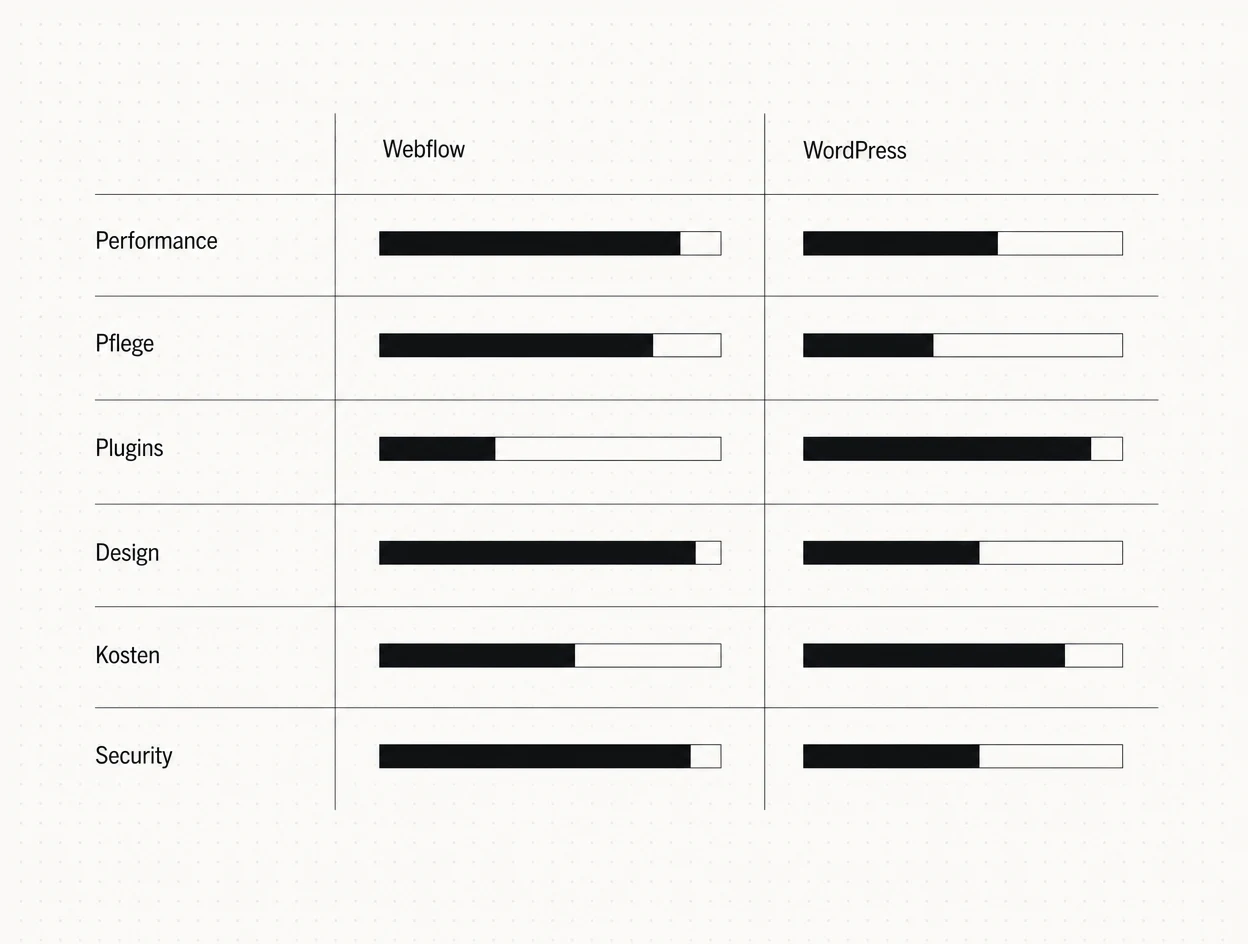
Webflow and WordPress compared head-to-head across six operational criteria.
WordPress is an open-source CMS that you host yourself and assemble using themes and plugins. You get maximum freedom, but take responsibility for updates, security, performance and compatibility.
Webflow is a closed platform: the visual editor, CMS and hosting come from a single provider. You get fewer building blocks, but a system that stays consistent without accumulating layers of plugins.
Webflow delivers clean code via a global CDN out of the box. You do not need to worry about caching plugins, image compression or server configuration. WordPress can be just as fast, but only with good hosting, a lean theme and a disciplined approach to plugins. In practice, we find that most Core Web Vitals issues stem not from the system itself, but from bloated page builders.
This is the clearest practical difference. A WordPress website needs monthly attention: core updates, plugin updates, PHP versions, backups and compatibility tests. Without a maintenance agreement, it will inevitably become outdated. Webflow takes this cycle off your hands because there are no plugins that can break.
WordPress wins here. Member areas, complex shops, multilingual editorial workflows, ERP integrations, hundreds of roles and permissions: there is a proven solution for almost every requirement. Webflow handles standard use cases well, but reaches its limits with extensive custom logic. At that point, you need either external services or a custom-built application.
Kernaussage
The more functionality your project needs, the stronger the case for WordPress. The more it focuses on design and content, the stronger the case for Webflow. The dividing line is not company size, but the complexity of the logic.
Webflow was built for designers. There are no theme restrictions and no compromises between a design idea and its technical feasibility. Creative freedom is also possible in WordPress, but it requires development: a custom theme rather than an off-the-shelf one. Choosing a standard theme and then trying to make it look bespoke means paying twice in the end.
Licence costs are the smaller part. What matters is the total cost of licensing, hosting, maintenance and ongoing development.
Item
Webflow (typical)
WordPress (typical)
Licence / hosting per year
300 to 700 €
100 to 400 €
Maintenance per year
low, usually included in the support package
600 to 2.400 €
Risk of unplanned work
low
medium to high
Over three years, the two systems are closer in cost than their licence prices suggest. What you save on WordPress licensing, you spend on maintenance. You can find a realistic assessment of total costs in our article on website costs and process.
WordPress is by far the most widely used CMS in the world. That makes it the most rewarding target, and the vast majority of successful attacks exploit outdated plugins, not the core. With Webflow, security is the platform's responsibility. For businesses without an in-house IT department, that is a real advantage.
Most clients ask us which system is better. The better question is who will maintain the website in two years. If nobody has a clear answer, Webflow is almost always the choice that brings fewer headaches.
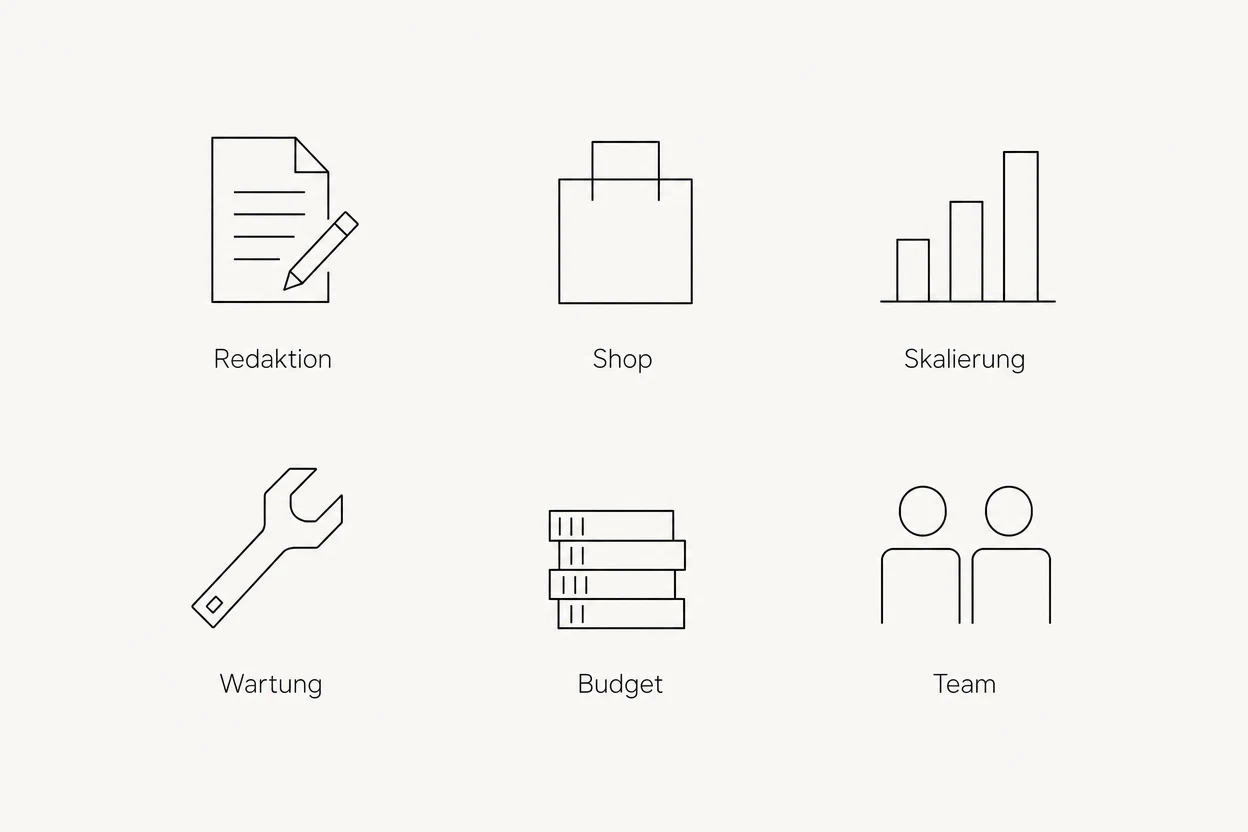
Six questions that determine the right platform in practice.
Content management: How many people maintain content, and how technically skilled are they? A large editorial team with granular permissions points towards WordPress.
Shop: Are you selling more than a handful of products with simple variants? Then choose WooCommerce or a dedicated e-commerce platform, not Webflow.
Scalability: Are you planning multiple locations, languages or thousands of detail pages? Check your preferred system's CMS limits before committing.
Maintenance: Is someone internally responsible for updates? If not, that favours a hosted platform.
Budget: Calculate costs over three years, not just the launch. The launch is the smaller item.
Team: Are you working with an agency that provides ongoing support for your system? A perfectly chosen system without support is worthless.
Webflow is a good fit if design and brand presence are central, one to five people maintain content, you want predictable costs and you do not need extensive custom logic. Typical examples: consultancies, law firms, industrial companies, agencies and B2B service providers.
WordPress is a good fit if you have a large editorial team, need to support established integrations, run a full-scale online shop or need functionality that is available as a proven plugin and that you do not want to rebuild.
Neither is a good fit if your website is fundamentally an application: calculators, portals, booking logic or customer accounts with custom logic. In that case, custom development is the more honest answer. Our broader tech stack comparison of Webflow, WordPress and Lovable shows how this fits into the bigger picture.
We built a website for the consultancy Sourisseaux / Partners that involved exactly this decision. The content requirements were clearly defined: publications, topics and people, maintained by a small team. At the same time, the brief called for a very precise, understated presence with fine typographic control and subtle motion.
With no shop, membership logic or established integrations involved, we chose a system with full design control and minimal maintenance rather than a plugin-driven setup. The result is a website that remains stable without monthly update cycles.
Sourisseaux / Partners: a pared-back consultancy presence, delivered by Maluure GmbH.
Migration is not a copy-and-paste exercise. What matters is the structure: URLs, content, internal links and redirects. If you switch, make sure you plan for three things:
A complete inventory of all indexed URLs before the relaunch
Proper 301 redirects to the new destinations, not a blanket redirect to the homepage
Ranking monitoring for at least eight weeks after launch
For a detailed look at what else can go wrong, read our article on website relaunches.
Kernaussage
Your rankings are not determined by the system, but by how carefully you transfer structure, redirects and content. A technically sound relaunch preserves visibility; a rushed one loses it, regardless of the CMS.
Mistake 1: Choosing the system before defining the requirements. Deciding “we are using WordPress" first and gathering requirements afterwards almost always introduces compromises. Clarify day-to-day content workflows, the feature list and the operating model first, then choose the system.
Mistake 2: Budgeting only for the launch. A cheap launch with expensive ongoing operation is not a saving, but a deferral. Calculate licensing, hosting, maintenance and planned development over three years.
Mistake 3: Buying features instead of clarifying processes. Many plugin lists are the result of uncertainty. Every additional plugin is another update dependency and another attack surface. Anything you do not use regularly does not belong on the website.
Once you document your requirements clearly, the choice of system usually becomes obvious. That is precisely why every web project we take on starts with this clarification, not a tool recommendation.
We look at your day-to-day content workflows, your functional requirements and your budget, and tell you honestly whether Webflow, WordPress or a custom solution is the right foundation.
Running a large multilingual website with many editors? Take a look at our TYPO3 agency.
Frequently asked questions
Which is better, Webflow or WordPress?+
Neither system is universally better. Webflow is stronger on design, performance and low maintenance. WordPress is stronger on functionality, large editorial teams and e-commerce requirements.
Is Webflow more expensive than WordPress?+
In terms of licensing, yes; in terms of total operating costs, often not. WordPress saves on licensing but requires ongoing maintenance, updates and security work. Over three years, the two systems are usually closer in cost than expected.
Is Webflow worse than WordPress for SEO?+
No. Webflow provides clean metadata, redirects, sitemaps and fast loading times out of the box. WordPress needs plugins such as Yoast or Rank Math for this, but can rank just as well.
Can I switch from WordPress to Webflow without losing rankings?+
Yes, if you record all indexed URLs, set up proper 301 redirects and transfer all content and internal links. Ranking losses are almost always caused by missing redirects, not by switching systems.
Is Webflow suitable for an online shop?+
Only for small product ranges with simple variants. Once inventory logic, many products, subscriptions or complex tax and shipping rules are involved, WooCommerce or a dedicated e-commerce platform is the better foundation.
How secure is WordPress compared with Webflow?+
WordPress is secure if it is consistently maintained. Most successful attacks exploit outdated plugins. With Webflow, security is the platform's responsibility, which reduces the risk for businesses without in-house IT.
Can staff without technical knowledge maintain Webflow?+
Yes, the editor allows CMS content and text to be changed without technical knowledge. Structural and layout changes remain the designer's responsibility, unlike with WordPress page builders.
Which system would an agency recommend for medium-sized businesses?+
For clearly defined functionality and a small editorial team, we recommend Webflow because it is less demanding to operate. For large editorial teams, shops or integrations, we recommend WordPress or custom development.
Want to see our articles more often in Google's Top Stories? Add Maluure as a preferred source.
Josef leads the strategic and creative development of brands at Maluure. For over a decade, he has guided medium-sized businesses from brand positioning to digital delivery.
Managing Director of Maluure GmbH, Cologne. Specialising in corporate design, brand strategy and digital brand experiences.