Web Design Tech Stack Comparison: Webflow, WordPress, Lovable & More
Which tech stack is right for your website? We compare Webflow, WordPress, Lovable, custom development, Squarespace and website builders, with real client projects.
of Josef KujawskiUpdated: 02 October 202610 min read2.422 Words
Short answer
There is no universally best tech stack for websites. At Maluure, we take a technology-agnostic approach, working with Webflow, WordPress, Lovable, custom development, Squarespace and website builders such as Wix or Ionos. We choose the technology to suit the project, not the other way round. This article explains each stack, shows real client projects such as Ohrenkorrektur Fadenmethode (Webflow) and Living Creations (Lovable), and describes how we choose the right system for you.
When you plan a new website, most agencies immediately name a tech stack: "We do that with WordPress." Or: "We're a Webflow agency." At Maluure, we take a different approach. We have built websites in Webflow, WordPress, Lovable, with fully custom development, in Squarespace and in website builders such as Wix or Ionos. For us, technology is almost never the limiting factor. We choose it after we understand what you need.
This article explains each stack in detail, shows real client projects and clarifies which technology is right for which situation. The conclusion upfront: There is no universally "best" system. There is only the best system for your project. Web design process: from screen design to implementation explains how we define strategy and design first.
"Technology-agnostic" means we are not tied to any provider, CMS or platform by contract, ideology or convenience. We recommend the system that suits your project, not our sales interests.
The default approach at many agencies is understandable: One team, one stack, the same templates every week. That makes quotes cheaper and processes faster. But it also means every project gets forced into the same system, whether it fits or not. We see this every day with clients who switch to us, bringing websites built on the wrong foundations: WordPress sites with 40 plugins for a company website that needs two templates. Custom-coded portals for brands that need three landing pages and a blog. Webflow projects where the client can never change anything themselves because the CMS has been configured with unnecessary complexity.
Kernaussage
The tech stack is a tool, not an end in itself. This comparison explains whether an agency, freelancer or website builder is the better fit. A good partner chooses the tool to suit the project, not the project to suit the tool.
We have experience with six categories of systems. Each has clear strengths and clear limitations. This overview provides a map, with the following sections exploring each in depth.
Stack
Ideal for
Weaknesses
Implementation price range
Webflow
Design-led marketing sites, streamlined CMS blogs
Complex logic, many user roles, large-scale growth
6 000 – 25 000 EUR
WordPress
Content-heavy sites, editorial teams, shops via WooCommerce
Maintenance demands, plugin chaos, security
5 000 – 30 000 EUR
Lovable
Custom CMS backends, apps, MVPs, rapid iteration
Young ecosystem, fewer off-the-shelf plugins
8 000 – 40 000 EUR
Custom development
Highly scalable platforms, specialist business logic
Higher costs, longer time to market, reliance on development team
from 25 000 EUR
Squarespace
Small brands, portfolios, very fast time to market
Design limitations, little CMS flexibility, limited SEO control
2 000 – 6 000 EUR
Wix, Ionos, other website builders
Sole traders, very small budgets, self-management
SEO limitations, performance, lock-in, little scope for distinctive branding
1 500 – 5 000 EUR
Prices cover implementation by us only, excluding ongoing licences, hosting or maintenance. You can find details of our pricing in our article What does a website really cost.
Of all the stacks we use, we prefer two – depending on the project: Webflow and Lovable. Both have one thing in common: They let us deliver quickly and cleanly without having to work around someone else's templates.
Webflow is our favourite for design-led marketing websites. The code stays clean, we retain full visual control and the client gets a CMS they can use themselves later. When precise design control matters, Webflow offers the best balance of freedom and stability.
We use Lovable when complete flexibility and speed are essential. It lets us build bespoke CMS backends, small internal tools or process apps in a fraction of the time traditional development would take. Lovable is our first choice, particularly for projects that need to support specific workflows as well as provide a website.
Webflow is a visual website builder that generates clean HTML, CSS and JavaScript code in the background. Its advantage over traditional website builders: Designers can work with pixel-level precision without accepting templates that all look the same. Its advantage over WordPress: No tangle of plugins, a significantly smaller attack surface, and integrated hosting with a global CDN.
We use Webflow when three things come together: high design standards, manageable CMS requirements and a client who wants to maintain their own content.
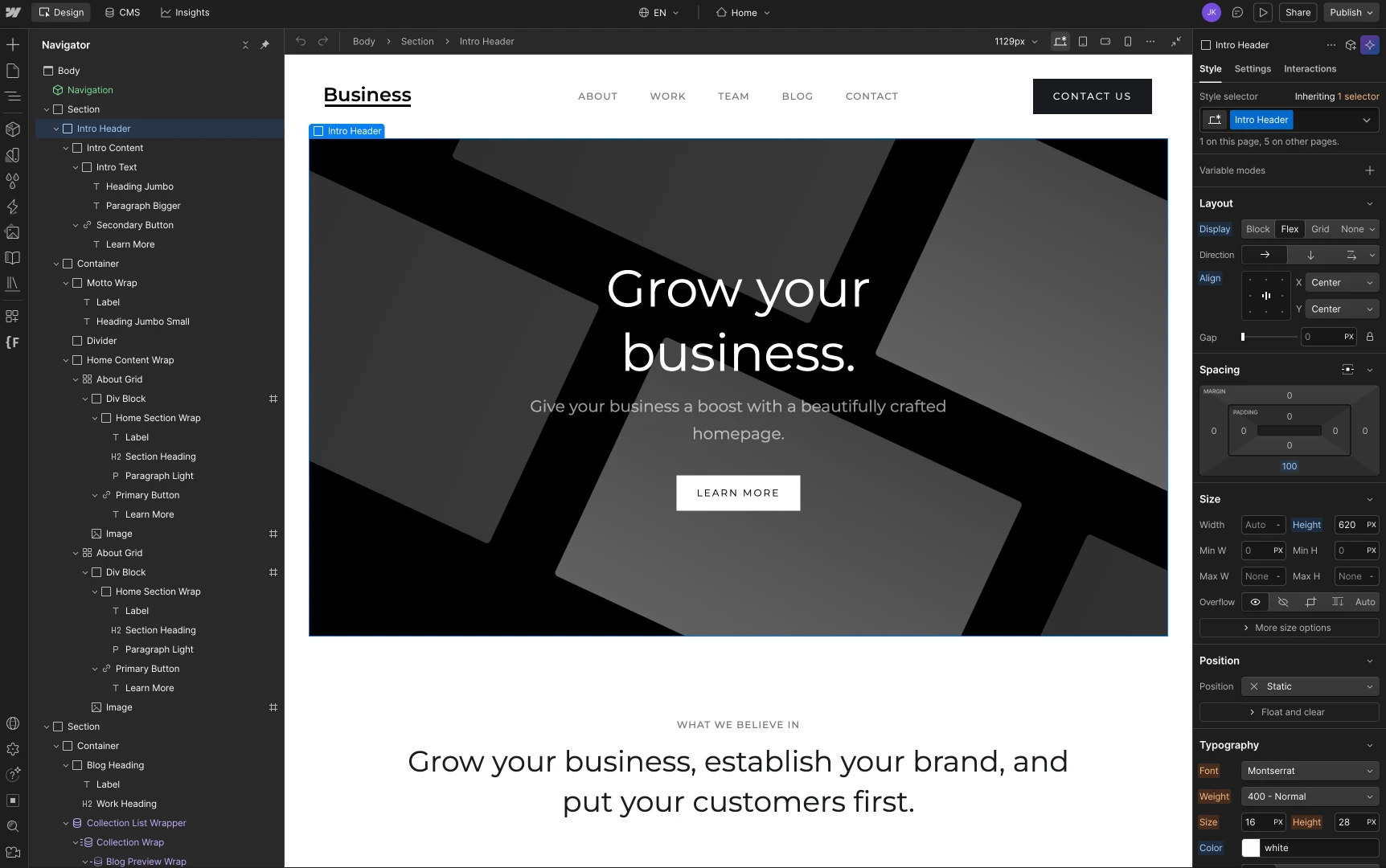
The Webflow Designer: pixel-perfect control over layout, typography and interactions, without being tied to templates. It’s this design freedom that makes Webflow our favourite for marketing sites.
The website for the Fadenmethode is a prime example of using Webflow for the right project. The client needed a streamlined, high-performance landing page with a CMS-powered blog they could manage independently. They already knew Webflow from a previous project and did not want to learn a new system. For us, that was a clear signal: The stack was decided because it suited the person using it.
We:
developed a design combining medical credibility with a calm, modern aesthetic
set up a CMS for blog articles that the client can populate in just a few clicks
optimised performance and SEO to help the site gain organic visibility in its niche
built clear conversion paths for enquiries
The result: The client has maximum independence, needs no maintenance contracts and can publish content without us. Exactly what Webflow does well.
If a client already loves and knows their system, it would be foolish to force a new one on them just because we would rather sell it.
As soon as roles, permissions, multi-site setups, hundreds of CMS entries with complex reference logic or deeply integrated third-party systems come into play, Webflow can quickly become cumbersome. There are solutions for multilingual sites too, but they are rarely as elegant as a bespoke backend.
According to W3Techs, WordPress still powers over 40 per cent of all websites worldwide. [1] That popularity is both a blessing and a curse. The blessing: There is a plugin for virtually every requirement. The curse: There is a plugin for virtually every requirement, and many are poorly maintained, conflict with others or introduce security vulnerabilities.
At its core, WordPress is a content management system. Its block editor and extensive publishing features make it the first choice for content-heavy sites and active editorial teams.
We use WordPress when a client:
needs a large editorial team with clearly defined roles and permissions
wants to maintain a very large volume of content over many years
runs or plans a sophisticated shop with WooCommerce
already has a working WordPress setup that only needs rebranding
We deliberately avoid WordPress for small company websites with five pages and a contact form. The maintenance effort is disproportionate to the benefit. The same site runs in Webflow or Squarespace at a fraction of the ongoing cost and without monthly update cycles.
Kernaussage
WordPress is an editorial system. If you do not have an editorial operation, you usually do not need WordPress either.
The most common tech stack question we hear is a direct comparison: Webflow vs. WordPress. Both systems can deliver the desired outcome in many projects, but they are built for different needs. At its core, Webflow is a design tool with a CMS module. WordPress is an editorial system with a design layer. That is the crucial difference.
Criterion
Webflow
WordPress
Design freedom
Very high, pixel-level precision without being tied to templates
Theme-dependent, often involves compromises
CMS depth
Solid, sufficient for many marketing sites
Very extensive, ideal for large editorial teams
Maintenance
Minimal, hosting included
High, ongoing plugin and core updates
Security
Managed, minimal attack surface
Most widely used CMS, frequent target for attacks [2]
As a rule of thumb: If your site primarily sells, persuades and generates leads, Webflow is usually a better fit. If your site primarily publishes, edits and archives content, WordPress is generally the smarter choice.
Kernaussage
Webflow wins on design, low maintenance and Core Web Vitals. WordPress wins on editorial depth, role logic and shop scalability. Everything in between depends on the project.
Lovable is an AI-powered development platform we use to build fully fledged web applications, including a custom frontend, tailored CMS and database. Unlike traditional website builders, we work directly with code here, just significantly faster than in traditional development.
For us, Lovable is useful when:
the client's CMS should truly fit the client, not the other way round
the project sits between a website and a web app
rapid iteration matters more than "that's how we've always done it"
custom login or role logic is needed
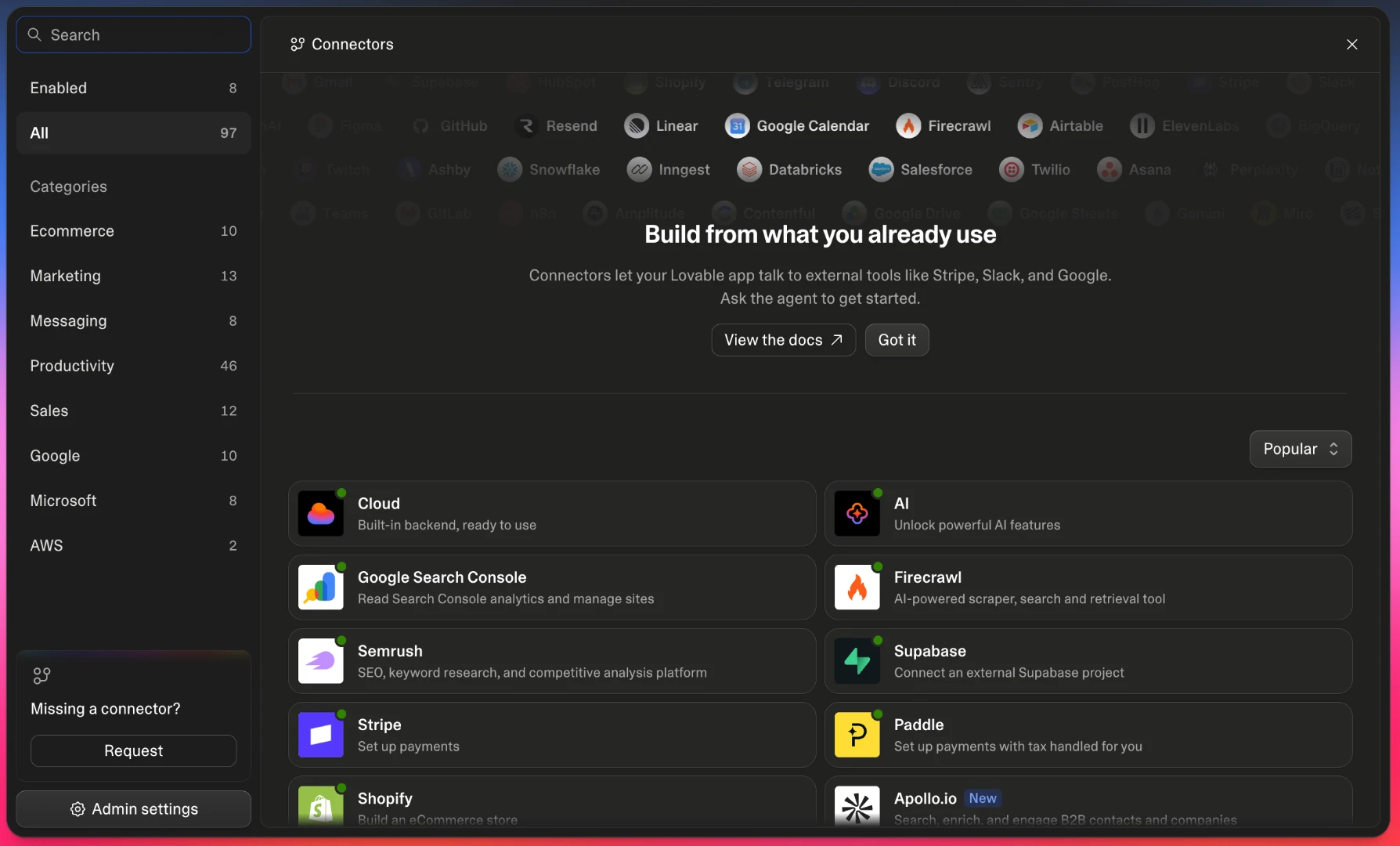
The Connectors dashboard in Lovable: over 90 integrations, from Stripe and Slack to Google Search Console, can be connected directly. This open integration layer makes Lovable so powerful for custom backends and micro-tools.
We built the Living Creations website and backend entirely with Lovable. The advantage: We could tailor the entire client CMS precisely to their internal processes. Instead of forcing the client into a standard WordPress interface, we built fields, views and workflows around the way they already organise their work. Design iterations took hours, not weeks. Deployment included.
That is the core benefit: A bespoke system without a six-figure development investment.
Lovable is a young ecosystem. Anyone looking for an obscure WordPress plugin will not find it here as a "simple download". We build what we need ourselves. That is usually an advantage because the result is cleaner. But for very large marketplace integrations, a mature stack is sometimes the smarter choice.
Fully custom development means a team of developers builds the frontend, backend, database and deployment pipeline from scratch, usually on a framework such as Next.js, Nuxt or Remix and dedicated cloud infrastructure. This is the most expensive option, but also the most flexible.
We recommend custom development when:
the project will become a full-scale web platform with thousands of users, roles and data objects
the business logic is so specific that any CMS would get in the way
scaling, performance and security go beyond standard requirements
the team can retain its own developers to maintain the code long term
For a traditional marketing website, that is overkill. For a portal that is your core business, it is the only credible approach.
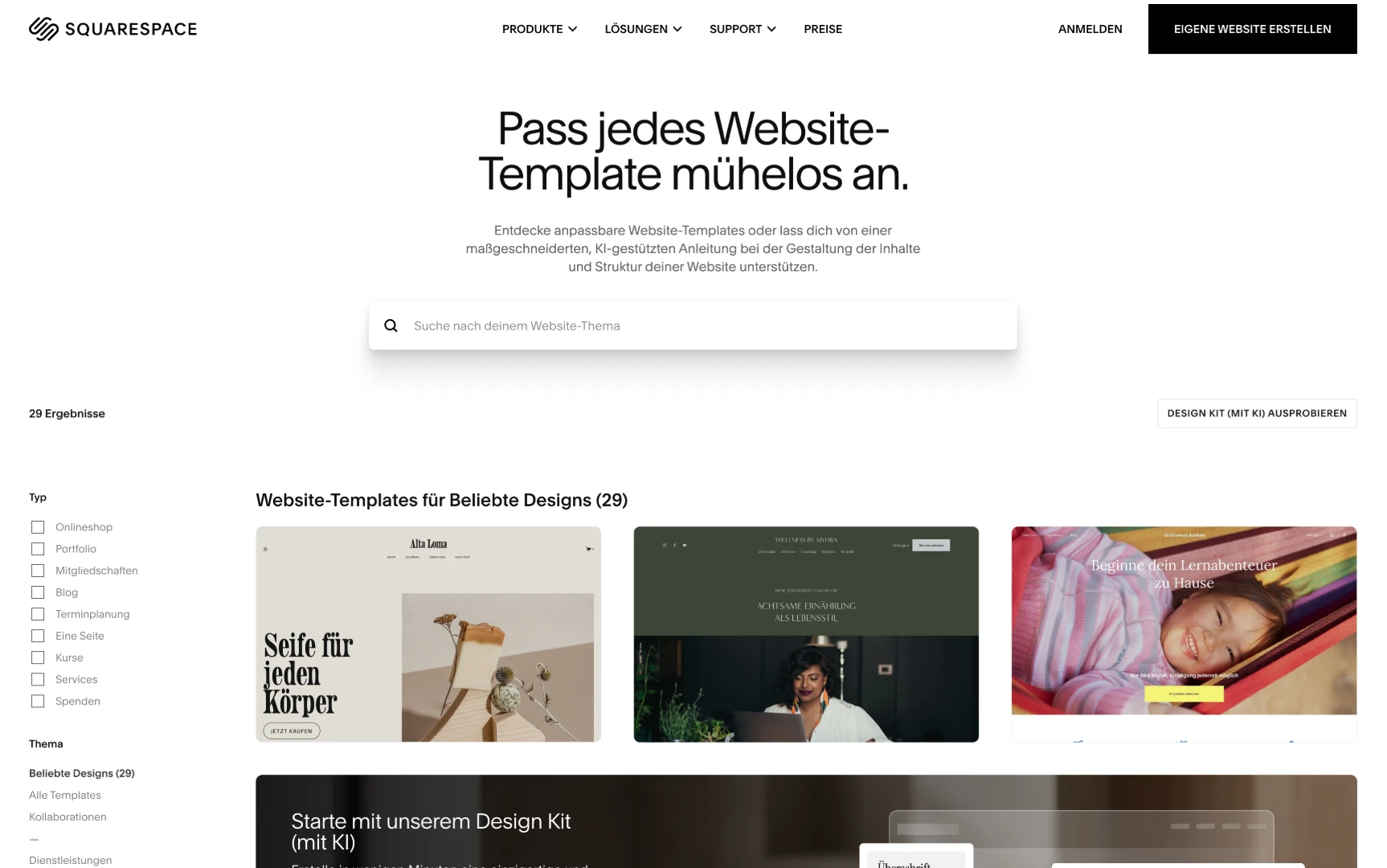
Squarespace is a website builder with very good templates. For small brands, portfolios, photographers, studios or restaurants, it is often the fastest way to establish a professional online presence. We use Squarespace when budgets and time are tight, but the design still needs to look better than "a website builder from 2010".
Squarespace stands out with a wide range of curated templates and a simple editor. Ideal for small brands that want to get online quickly with a polished look, without needing extensive design customisation.
Limitations: SEO control is restricted, customisation quickly reaches its limits, and third-party integrations often involve workarounds. For a brand that needs to scale, Squarespace is rarely the right choice.
Wix and Ionos target clients who want to maintain their own website on a small budget. We only work with these systems when an existing setup needs optimisation or a client explicitly asks us to.
From an agency perspective, the limitations are clear:
SEO options are more restricted than in Webflow or WordPress
performance scores are lower on average
lock-in is high: Moving usually means a complete rebuild
design freedom stops at the predefined blocks
For a sole trader with a clear message, three pages and a contact form, this can still be the right practical choice. Honesty before sales: If you need a site for 1 500 EUR that goes live tomorrow, we will not recommend a custom stack for 25 000 EUR.
Our selection process is not based on gut feeling. It follows a clear sequence. It always takes place before any design or development decision, immediately after the strategy process we describe in Creating a website concept.
Understand the site's goals. Marketing, lead generation, editorial content, shop, platform, portfolio. Each goal has a different sweet spot.
Clarify day-to-day content management. Who maintains the content? How often? With what prior knowledge?
Assess scaling needs. Two landing pages or two hundred? Will the volume of content grow or stay stable?
Align budget and time to market. What is realistic, and what is desired?
Make a recommendation, not a sales pitch. If the answer is "Squarespace for 3 000 EUR", we say so.
Kernaussage
The stack follows from the goals, not from an agency's requirements. Anyone who names the system before the first conversation is selling you their convenience as your benefit.
First: Almost all websites that perform poorly today are not failing because of the technology. They fail because of a lack of strategy, unclear content and mediocre design. The stack is rarely the cause. A good screen design process, which we describe in Web design process: From concept to screen design, matters more than any discussion about frameworks.
Second: We retain responsibility, regardless of the system. We have in-house developers, designers and strategists with practical expertise across all six stacks. When we work with external specialists, such as WordPress developers for very large editorial setups, project management stays with us. You have one point of contact. Always.
Our aim is not to work with every system. Our aim is for you to end up with the website that suits you, rather than the one that suits our schedule.
– Josef Kujawski, Geschäftsführer Maluure
If you want to know which stack fits your project, get in touch. We will give you an honest recommendation, even if the answer is: "Stay with the system you have."
If these are the only two systems on your shortlist, you can find a detailed head-to-head comparison of performance, maintenance, costs and security here: Webflow vs. WordPress: The comparison for businesses.
Running a large multilingual website with many editors? Take a look at our TYPO3 agency.
Frequently asked questions
What is the best tech stack for a website?+
There is no universally best stack. The right choice depends on goals, day-to-day content management, scaling needs, integrations and budget. We work with Webflow, WordPress, Lovable, custom development, Squarespace and website builders such as Wix or Ionos, choosing afresh for each project.
Is Webflow better than WordPress?+
Neither is inherently better. Webflow is ideal for design-led marketing sites with a streamlined CMS. WordPress is strong for large editorial teams and content-heavy portals. We recommend the system that fits your project, not our preferences.
How much does a website in Webflow, WordPress or Lovable cost?+
Our Webflow projects typically cost between 6 000 and 25 000 EUR, WordPress between 5 000 and 30 000 EUR, and Lovable between 8 000 and 40 000 EUR. Scope, CMS complexity and design detail are the deciding factors, not the system itself.
What does technology-agnostic mean?+
Technology-agnostic means we are not tied to a particular tech stack. We recommend the system that objectively fits your project, rather than forcing every project into the same template.
Can I maintain my website myself after launch?+
With Webflow, WordPress, Squarespace and Wix, yes, usually without development knowledge. With Lovable and custom development, we build a bespoke CMS that is just as easy to use. We always set you up to work independently.
Which stack do you recommend for a shop?+
For small to medium-sized shops, WooCommerce on WordPress or Shopify as a standalone solution. For custom commerce logic, Lovable or custom development. We only recommend Webflow-Commerce for narrowly defined niches.
What is Lovable and why do you use it?+
Lovable is an AI-powered development platform we use to build fully fledged web applications with a custom frontend, CMS and database. We use it when rapid iteration and bespoke backends matter more than an established ecosystem of off-the-shelf plugins.
Are Wix or Ionos really that bad?+
No, but they have clear limitations in SEO, performance and design freedom. For sole traders with small budgets and only a few pages, they can be a practical choice. For brands that want to grow, usually not.
Do I need to choose a stack as a client?+
No. After the strategy discussion, we recommend a suitable stack and explain our reasoning transparently. You make the final decision; we provide the basis for it.
Webflow vs. WordPress: Which is better?+
Neither is better across the board. Webflow is stronger for design-led marketing sites with low maintenance needs and excellent Core Web Vitals. WordPress is stronger for large editorial teams, detailed role logic and WooCommerce shops. We recommend the system based on your site's goals, not personal preference.
Which website builder is best for small businesses?+
For small businesses with tight budgets and a few pages, Squarespace (best design) and Ionos (lowest price) are the most practical website builders. Wix offers the broadest range of features. Anyone planning to grow later should start directly in Webflow rather than a website builder to avoid SEO and design limitations.
Josef leads the strategic and creative development of brands at Maluure. For over a decade, he has guided medium-sized businesses from brand positioning to digital delivery.
Managing Director of Maluure GmbH, Cologne. Specialising in corporate design, brand strategy and digital brand experiences.