Corporate video scripts: storytelling that works in 90 seconds
The script determines whether your corporate video makes an impact or just looks good. Structure, narrative, common mistakes and a shot list that saves the shoot day.
Why the most expensive mistake happens on paper
The three questions before the first sentence
- Who are we talking to? Not “our customers", but a specific person in a specific situation. A technical buyer comparing three suppliers is different from a managing director hearing about you for the first time.
- What should that person feel after 90 seconds? One feeling, not five. Confidence, respect, curiosity or relief, but only one takes the lead.
- What should they do afterwards? Call, request a quote, apply for a job, read more on the website. Without this goal, the video becomes a self-portrait rather than a tool.
The proven five-part structure
| Section | Length | Purpose |
|---|---|---|
| Hook | 0 to 5 Sek. | Secure attention before viewers click away |
| Problem | 5 to 25 Sek. | Describe the target audience's situation |
| Solution | 25 to 55 Sek. | Show exactly what you do differently |
| Evidence | 55 to 80 Sek. | Use figures, a client example, a process or people as proof |
| Closing | 80 to 90 Sek. | One clear call to action, not three |

Voiceover: allow for 150 words per minute
The shot list saves the shoot day
- Main subjects for the planned sections
- Cutaways and details that enable transitions in the edit
- Alternative shot sizes of the same scene, in case the first choice does not work in the edit
- Portrait-format versions of the key scenes for social media
- Stills, meaning photographs taken alongside filming for later use on the website

I have never had a client complain about spending too much time on the script. But I have often heard someone say after the first edit that we really should have shown something completely different. That realisation needs to happen two weeks earlier.
Practical example: ZOO Event
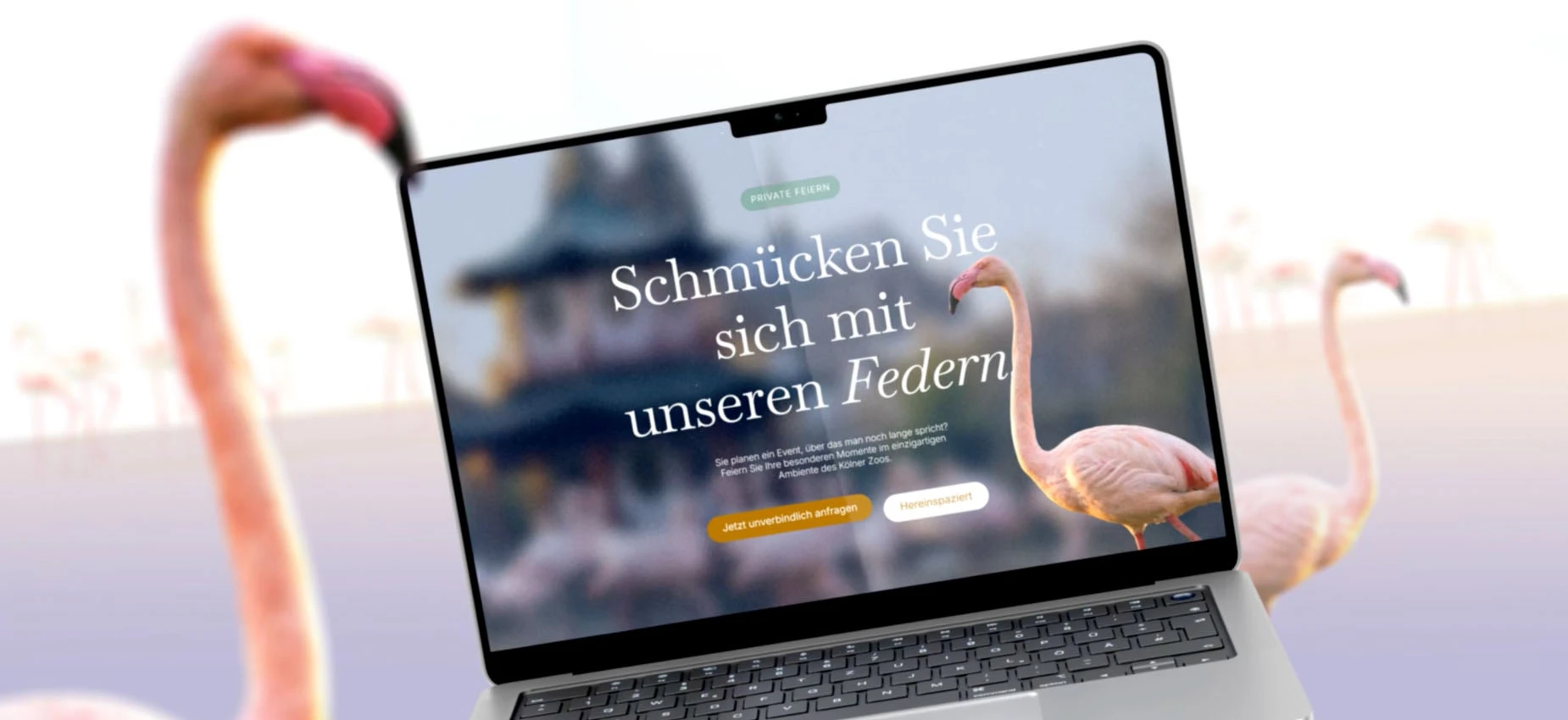
With ZOO Event, the hardest decision was made in the script, not on set. We had material for three different videos in mind and had to choose one target audience. That single sentence in the briefing gave the whole shoot its structure.
The five most common storytelling mistakes
- Chronology instead of narrative. Nobody but you is interested in the company's history from 1972 to today.
- Telling everything at once. Three target audiences, five services and two locations in 90 seconds create noise.
- Adjectives instead of evidence. Everyone says “innovative, reliable, collaborative". A specific figure or process says more.
- The boss as narrator, without preparation. An interview without guiding questions turns the edit into a search for usable sentences.
- Forgetting the call to action. The video ends with the logo, and the viewer does not know what to do next.
From script to interview guide
- Open questions instead of yes-or-no questions, such as “What happens here on a normal Tuesday?" rather than “Do you like your work?"
- Ask about situations, not opinions. Specific scenes create specific images in people's minds.
- Include the question in the answer. Ask the person to answer in complete sentences so the question can be edited out later.
- Ask twice. The second answer to the same question is almost always shorter and better.
- Allow silence. The three seconds after an apparently finished answer often contain the best sentence.
Four script formats that work for small and medium-sized businesses
| Format | When it fits | Risk |
|---|---|---|
| Voiceover-led video | clear message, little time on site | can quickly feel like an advert |
| Interview-led video | focus on trust and people | depends entirely on the interviewees |
| Process video | manufacturing that needs explaining | requires substantial filming time on the production floor |
| Customer testimonial | a strong client example is available | dependent on customer approval |
Subtitles belong in the script, not as an afterthought
Plan approvals, or the schedule will slip
- One person decides. Feedback from five departments leads to conflicting comments.
- Written script approval, before the shoot day is booked.
- Plan for two rounds of editing revisions; a good script means you will not need more.
- Consolidated feedback with timecodes, such as “at 0:34, the reference to certification is missing", not “I don't like it yet".
What happens next
Frequently asked questions
What belongs in a corporate video script?+
How long does it take to write a script?+
Does a corporate video really need a script?+
How is a good corporate video's narrative structured?+
What is the difference between a script and a storyboard?+
Who writes the voiceover?+
How many rounds of revisions are usual?+
What is a shot list and what is it for?+
Sources
- Video Usability, Nielsen Norman Group
- Optimal Video Length, Wistia
Want to see our articles more often in Google's Top Stories? Add Maluure as a preferred source.
Add on Google
Josef leads the strategic and creative development of brands at Maluure. For over a decade, he has guided medium-sized businesses from brand positioning to digital delivery.
Managing Director of Maluure GmbH, Cologne. Specialising in corporate design, brand strategy and digital brand experiences.
Weiterlesen

Website for Electricians: The Right Jobs and New Skilled Staff
Service pages, service area, references and careers: how to build an electrician website that brings preferred jobs and applications.

Website for Hotels: More Direct Bookings, Less Commission
Rooms, booking widget, location and direct benefits: how to build a hotel website that brings guests back from platforms to your own site.

Website for Physiotherapy: More Appointments and Applications
Treatments, appointment requests, team and careers: how to build a physio website that convinces patients and therapists alike.
Explore more blog topics

Website for Restaurants & Hospitality: What Guests Really Look For
Menu, opening hours, reservations: how to build a restaurant website that convinces guests in seconds and gets found locally.

A Website for Dental Practices: What Really Matters in 2026
Which content a dental website needs, how local SEO brings inquiries, and what a practice website really costs.
Willi on the DNA Insider Podcast: Marketing Needs Clear Prices
Willi was a guest on the DNA Insider Podcast by the Deutscher Netzwerk Award. Eleven minutes on clear pricing, founding Maluure with his brother Josef, and why networking is no buzzword for us.