Website relaunch checklist: How to plan your relaunch properly
The complete website relaunch checklist 2026: From audits and goal setting to SEO, redirects, Core Web Vitals, accessibility, GEO/AI search and post-launch monitoring. An agency guide to help your relaunch gain visibility rather than lose it.

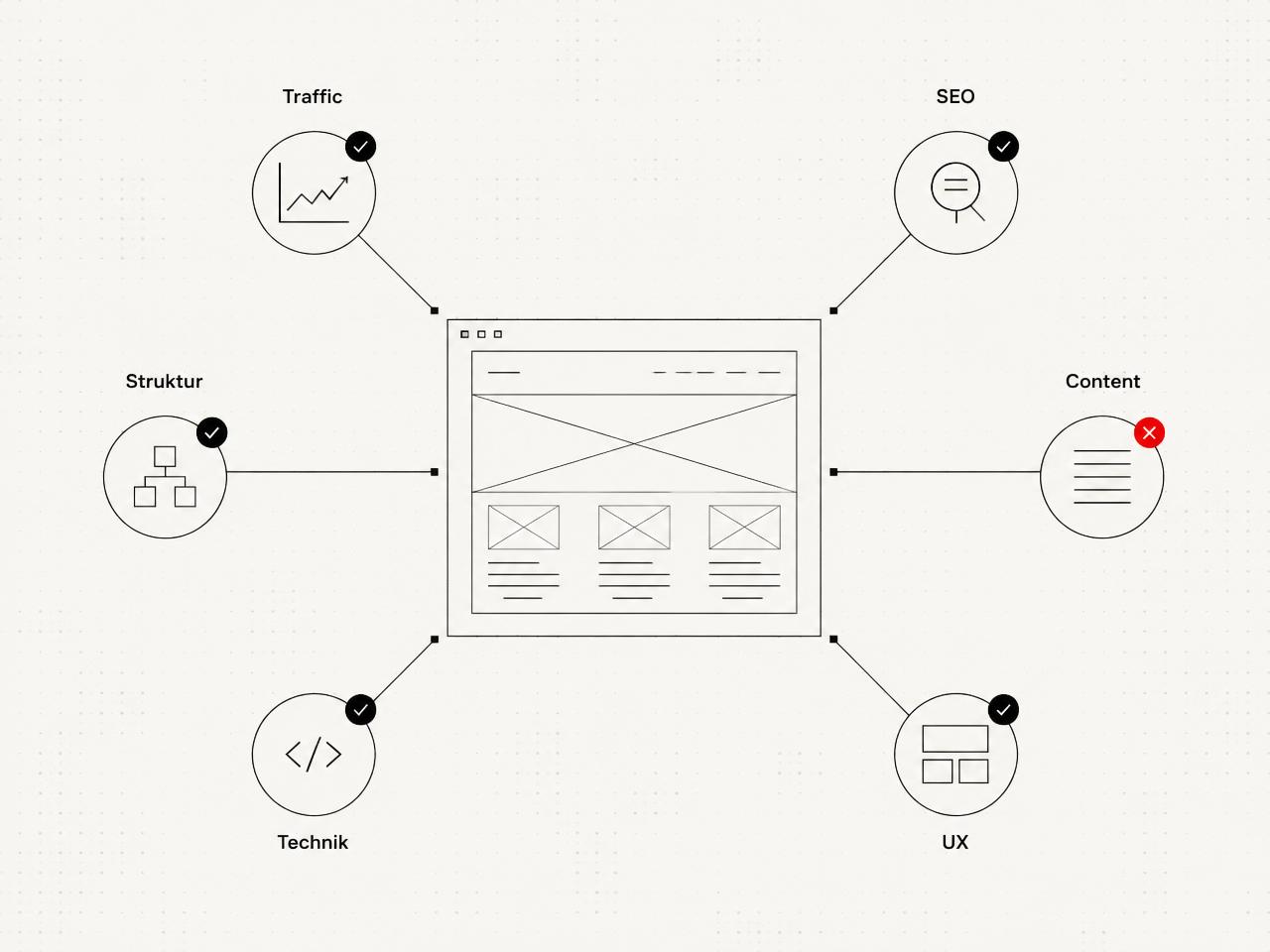
1. Initial audit: Really understand the old site
Data sources for a reliable audit
- Google Search Console: Top pages, top keywords, clicks, impressions, crawl errors
- Google Analytics or Plausible: Traffic sources, conversions, bounce rates
- Screaming Frog or a similar crawler: Internal links, redirect chains, metadata, duplicate content
- PageSpeed Insights and Lighthouse: Core Web Vitals, accessibility, best practices (our guide Accessible websites: What the BFSG requires from 2025 explains the specific BFSG requirements)
- Backend analysis: Editorial workload, maintenance obstacles, outdated plugins
Our questionnaire at a glance
- What works particularly well on the current site?
- Which pages generate the most traffic and conversions?
- What frustrates you in the backend or in day-to-day content management?
- Which features are missing that your competitors already offer?
- Where does the visual design no longer represent you?
- Which content is outdated, redundant or simply no longer correct?
- Which URLs consistently bring you organic traffic and are essential?
2. Goal setting: What should the relaunch achieve?
3. When does a website relaunch really make sense?
- The site is more than five to seven years old and technically outdated.
- The design no longer fits the current brand or target audience.
- Mobile performance and Core Web Vitals are consistently poor.
- The CMS is confusing, insecure or no longer maintained.
- New requirements such as a shop, customer portal or AI search cannot be integrated properly.
- Achieving BFSG accessibility compliance is not economically viable with the current setup.
- The site is outgrowing its structure and becoming difficult to navigate.
4. Costs: What you should realistically expect
| Project type | Scope | Price range | Typical duration |
|---|---|---|---|
| Small company website | 5 to 10 pages, no shop | 6.000 to 15.000 EUR | 4 to 8 weeks |
| Mid-sized corporate website | 15 to 40 pages, blog, forms | 15.000 to 40.000 EUR | 8 to 16 weeks |
| Complex platform | Shop, portal, custom tools | 40.000 to 150.000 EUR | 3 to 9 months |
| Enterprise relaunch | Multilingual, ERP integration, extensive compliance requirements | from 100.000 EUR | 6 to 18 months |
5. Timeline: How long does a relaunch take?
| Phase | Duration | Who is involved | Outcome |
|---|---|---|---|
| Audit and goal setting | 1 to 2 weeks | Client, project management, SEO | Audit report, goals document |
| Concept and screen design | 2 to 4 weeks | Design, UX, client | Clickable prototype |
| Development | 3 to 10 weeks | Development, CMS | Staging version |
| Content migration and SEO | 2 to 4 weeks | Editorial, SEO | Migrated content, redirect matrix |
| Testing, QA and launch | 1 to 2 weeks | Everyone | Live site |
| Post-launch monitoring | 4 to 12 weeks | SEO, development | Stable rankings, no errors |
6. Concept and clickable design: Experience it before it is built
7. Technical update: Faster, more secure, ready for the future
Core Web Vitals as firm targets
| Metric | Target | What it measures |
|---|---|---|
| LCP (Largest Contentful Paint) | below 2,5 seconds | Load time of the largest visible element |
| INP (Interaction to Next Paint) | below 200 ms | Response time to user interaction |
| CLS (Cumulative Layout Shift) | below 0,1 | Visual stability during loading |
8. SEO relaunch: Protect and improve rankings
- URL strategy: Short, descriptive URLs, consistent separators, no session IDs.
- Information architecture: Topic clusters with clear hub and detail pages rather than a disorganised mix.
- Metadata: Titles below 60 characters, descriptions below 160, a clear hierarchy with a single H1 per page.
- Internal linking: New internal links to revenue-driving pages, no isolated content.
- Structured data: Schema.org for organisations, products, articles, FAQs and reviews.
- Indexing controls: Properly maintained robots.txt, XML sitemap and canonical tags.
- AI search signals: Clear answers in the opening paragraphs, definitions, lists and tables.
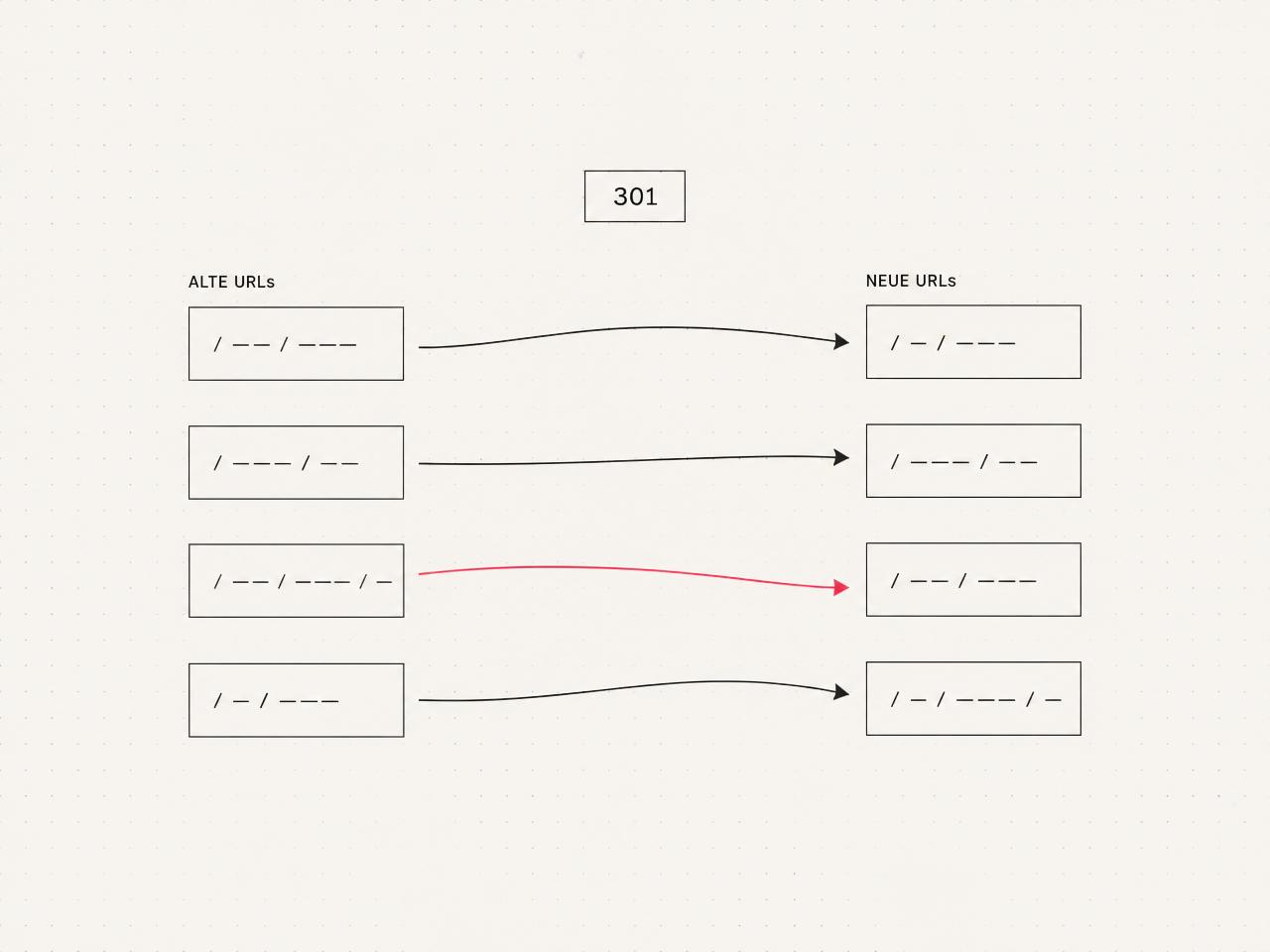
9. Redirect management and content migration: No link should lead nowhere
| Risk | Consequence | Our measure |
|---|---|---|
| URLs not redirected | Loss of rankings and traffic | 301 redirect matrix before launch |
| Content missing from new pages | Indexing gaps | Content mapping and 1:1 transfer |
| Metadata lost | Drop in CTR | Check SEO export and import |
| Broken internal links | Reduced crawlability | Link check after migration |
| Redirect chains | Wasted crawl budget | Direct destination instead of a chain |
| Images migrated without alt text | Loss of visibility in Google Images and reduced accessibility | Check alt text during migration |
/sitemap.xml on both the new and old domains. A properly maintained sitemap lets you see all indexed routes at a glance and create the 301 redirect matrix in minutes rather than hours. This requires a dynamically generated sitemap that genuinely includes all relevant URLs, including blog, product and landing pages.10. Accessibility: BFSG as a requirement, not a bonus
- Colour contrast in line with WCAG 2.2 AA (at least 4,5:1 for body text).
- Keyboard accessibility: All interactive elements accessible without a mouse.
- Semantic HTML: Landmarks, heading hierarchy, correct form labels.
- Alt text for all images relevant to the content.
- Visible, consistent focus states.
- Videos with subtitles, complex content with text alternatives.
11. GEO and AI search: Visibility in ChatGPT, Perplexity and Google AI Overviews
- Direct answers in the first 100 words of every page.
- Short-answer boxes and definitions as standalone blocks.
- FAQ sections with structured data using FAQPage schema.
- Visible authorship and E-E-A-T signals on every post.
- llms.txt or similar controls for AI crawlers.
- Clear topic clusters rather than disconnected individual pages.
A relaunch is a chance to improve everything, but only if you really understand the old site first. Ignore what you already know about it, and you can quickly end up rebuilding the same problems.
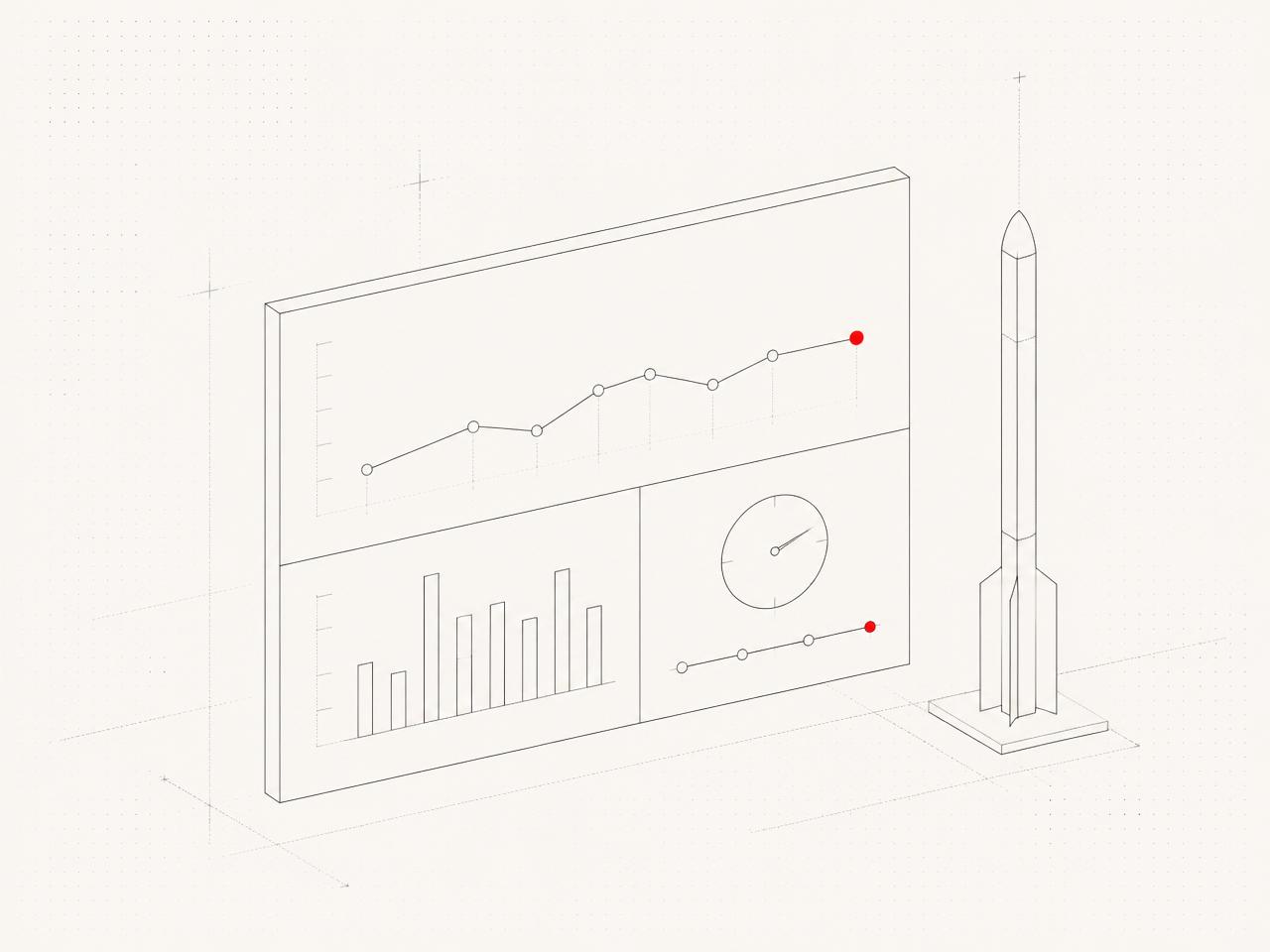
12. Launch: As little downtime as possible
Launch-day checklist
- Backup of the old site and database created.
- DNS TTL set to a low value 24 hours before launch.
- SSL certificate configured and tested on the new hosting.
- Redirect matrix live and verified through spot checks.
- XML sitemap submitted to Google Search Console.
- Analytics and Tag Manager checked on the new site.
- Contact forms, payment flows and external integrations tested live.
- 404 monitoring enabled.
13. After launch: Ongoing support, not abandonment
- Search Console: Crawl errors, coverage, lost keywords.
- 404 logs: New dead links from external references.
- Core Web Vitals in the field: Real-world data from the CrUX report.
- Conversion paths: Form completions, CTA clicks, drop-offs.
- Rankings: Comparison of weeks 1, 4 and 12 against the baseline.
14. The most common website relaunch mistakes
- No SEO audit before concept development, resulting in the loss of ranking URLs.
- Content last rather than first, resulting in a launch with half-finished pages.
- Redirect chains instead of clean 1-to-1 redirects.
- Design before structure, resulting in attractive pages without clear user journeys.
- No staging environment, with development carried out directly on the live system.
- No content freeze: Editors change content during migration.
- No post-launch monitoring, leaving gradual traffic losses unnoticed.
- Accessibility treated as a retrofit rather than considered from the start.
15. Master website relaunch checklist: The complete overview
| # | Phase | Task | Responsible | Critical for |
|---|---|---|---|---|
| 1 | Audit | Initial SEO audit (rankings, top pages, backlinks) | SEO | Preserving rankings |
| 2 | Audit | Content inventory of all URLs (Screaming Frog) | SEO / Editorial | Redirect matrix |
| 3 | Audit | Analyse backlink profile (e.g. Semrush, Ahrefs) | SEO | Preserving authority |
| 4 | Audit | Core Web Vitals baseline (LCP, INP, CLS) | Development | Performance targets |
| 5 | Audit | Gather backend and editorial pain points | Client | CMS selection |
| 6 | Audit | Accessibility check (WCAG 2.2 AA) | Design / Dev | BFSG compliance |
| 7 | Strategy | Define measurable relaunch goals | Client / PM | Measuring success |
| 8 | Strategy | Update personas and user journeys | UX / Marketing | User journeys |
| 9 | Strategy | Define keyword strategy and topic clusters | SEO / Content | Visibility |
| 10 | Strategy | Finalise budget and timeline | Client / PM | Project management |
| 11 | Concept | New information architecture (sitemap plan) | UX / SEO | SEO structure |
| 12 | Concept | URL strategy with redirect mapping (old → new) | SEO | Preserving rankings |
| 13 | Concept | Wireframes for core templates | UX | User journeys |
| 14 | Concept | Clickable prototype with client approval | Design / UX | Error prevention |
| 15 | Design | Visual design and design system | Design | Brand consistency |
| 16 | Design | Contrast and accessibility check of the design | Design | BFSG compliance |
| 17 | Content | Content migration and copy revision | Editorial | SEO / User value |
| 18 | Content | Rewrite meta titles and descriptions | SEO / Editorial | CTR |
| 19 | Content | Maintain alt text for all images | Editorial | SEO / A11y |
| 20 | Content | FAQ blocks and short answers per page | Editorial / SEO | AI search |
| 21 | Development | Frontend build (SSR-capable, high-performing) | Development | Core Web Vitals |
| 22 | Development | CMS setup and editorial training | Development / PM | Maintainability |
| 23 | Development | Forms, payments and third-party integrations | Development | Conversion |
| 24 | Development | Cookie banner and consent management | Development / Legal | GDPR |
| 25 | Development | Structured data (Organization, Product, FAQ, Article) | SEO / Dev | Rich results |
| 26 | Development | Image optimisation (AVIF/WebP, lazy loading) | Development | Load time |
| 27 | SEO | Generate and maintain XML sitemap | Development / SEO | Indexing |
| 28 | SEO | Check robots.txt and canonicals | SEO | Crawl budget |
| 29 | SEO | Set up server-level 301 redirects | Development | Preserving rankings |
| 30 | SEO | Internal linking to revenue-driving pages | SEO / Editorial | Visibility |
| 31 | SEO | hreflang for multilingual sites | SEO / Dev | Country-specific rankings |
| 32 | SEO | llms.txt and AI crawler controls | SEO / Dev | GEO visibility |
| 33 | Testing | Staging tests of all templates across all devices | QA | Error-free operation |
| 34 | Testing | Lighthouse and PageSpeed checks of core pages | Development | Performance |
| 35 | Testing | Accessibility testing (screen reader, keyboard) | QA / A11y | BFSG compliance |
| 36 | Testing | Cross-browser and mobile testing | QA | User experience |
| 37 | Testing | Redirect spot checks from top-100 URLs | SEO | Ranking protection |
| 38 | Testing | Analytics and Tag Manager debugging | Analytics | Data quality |
| 39 | Launch | Reduce DNS TTL in good time | Development | Downtime |
| 40 | Launch | Secure backup of old site and database | Development | Emergency rollback |
| 41 | Launch | SSL certificate active on new host | Development | Security |
| 42 | Launch | Submit sitemap to Google Search Console | SEO | Indexing |
| 43 | Launch | Enable 404 monitoring | SEO / Dev | Traffic protection |
| 44 | Launch | Change of address in GSC (if changing domain) | SEO | Ranking transfer |
| 45 | Launch | Test all forms live | QA | Conversion |
| 46 | Post-launch | Monitor Core Web Vitals using CrUX field data | Development | Performance |
| 47 | Post-launch | Ranking comparison in weeks 1, 4 and 12 | SEO | Success tracking |
| 48 | Post-launch | Identify lost keywords and improve content accordingly | SEO / Editorial | Visibility |
| 49 | Post-launch | Request updates to external backlinks pointing to dead destinations | SEO | Authority |
| 50 | Post-launch | Set up maintenance and SEO retainers | PM / Client | Long-term continuity |
Frequently asked questions
What is a website relaunch?+
When does a website relaunch make sense?+
What does a website relaunch cost?+
How long does a website relaunch take?+
How often should you relaunch a website?+
Can I preserve my SEO rankings during a relaunch?+
What is redirect management during a relaunch?+
What happens after launch?+
Does my website have to be accessible under the BFSG?+
How do I prepare my website for AI search?+
Do I need to change hosting provider when relaunching?+
Want to see our articles more often in Google's Top Stories? Add Maluure as a preferred source.
Add on Google
Josef leads the strategic and creative development of brands at Maluure. For over a decade, he has guided medium-sized businesses from brand positioning to digital delivery.
Managing Director of Maluure GmbH, Cologne. Specialising in corporate design, brand strategy and digital brand experiences.
Weiterlesen

Website for Electricians: The Right Jobs and New Skilled Staff
Service pages, service area, references and careers: how to build an electrician website that brings preferred jobs and applications.

Website for Hotels: More Direct Bookings, Less Commission
Rooms, booking widget, location and direct benefits: how to build a hotel website that brings guests back from platforms to your own site.

Website for Physiotherapy: More Appointments and Applications
Treatments, appointment requests, team and careers: how to build a physio website that convinces patients and therapists alike.
Explore more blog topics

Website for Restaurants & Hospitality: What Guests Really Look For
Menu, opening hours, reservations: how to build a restaurant website that convinces guests in seconds and gets found locally.

A Website for Dental Practices: What Really Matters in 2026
Which content a dental website needs, how local SEO brings inquiries, and what a practice website really costs.

Willi on the DNA Insider Podcast: Marketing Needs Clear Prices
Willi was a guest on the DNA Insider Podcast by the Deutscher Netzwerk Award. Eleven minutes on clear pricing, founding Maluure with his brother Josef, and why networking is no buzzword for us.