Accessible websites: what the BFSG requires from 2025
Who is affected by Germany’s Accessibility Strengthening Act, what do market surveillance authorities check, and what does retrofitting cost? A guide with a 10-point self-test.

What the BFSG actually is
Who is affected, and who is not
| Scenario | BFSG requirement | Note |
|---|---|---|
| Online shop for consumers | Yes | Typical use case, including checkout |
| Appointment booking for practices, studios, law firms | Yes | Consumer service |
| Purely informational company website with no transactions | No | Note: adding bookings or a shop changes this |
| B2B portal, supplier platform | No | No consumer business |
| Microenterprise with a shop | Yes | Exemption applies only to services, not products |
| Public body | Yes | Already regulated under BITV 2.0 |
The technical benchmark: EN 301 549 and WCAG 2.1 AA
- Perceivable – content must be visible or audible: contrast, alternative text, captions.
- Operable – everything accessible by keyboard, enough time, no flashing effects.
- Understandable – clear language, predictable navigation, helpful error messages.
- Robust – clean HTML that screen readers and assistive tools interpret correctly.
Most websites do not fail on obscure issues, but on four things: insufficient contrast, invisible keyboard focus, form fields without proper labels and buttons that are actually divs. These can be fixed in a single sprint if addressed early.
What an authority checks
- A complaint is received or a spot check is initiated.
- The authority requests documentation, usually the accessibility statement and technical information.
- The function in question is then assessed, usually with assistive technology and automated tools.
- If shortcomings are found, a request for remediation is issued with a deadline.
- If the business does not respond, enforcement orders, including a prohibition on providing the service, and fines are possible.
A 10-point self-test for your website

- Keyboard only. Navigate the most important journey – homepage, product, basket, submission – using only Tab, Shift+Tab and Enter. Can you reach everything and get back out again?
- Visible focus. Is it clear where you are at every Tab step? Removing the focus outline with
outline: noneis the most common individual error. - Contrast. Text against its background must have a contrast ratio of at least 4,5:1, or at least 3:1 for large text from 24 px. Grey help text and pale buttons almost always fail.
- Zoom to 200 %. Does all content remain readable and usable without horizontal scrolling?
- Form fields. Does every field have a proper label element? Placeholders alone are not enough.
- Error messages. Are errors described in text and associated with the relevant field, rather than just indicated by a red border?
- Alternative text. Do images that convey information have meaningful alt attributes? Decorative images should have empty ones.
- Heading structure. Exactly one H1 per page, followed by a clear hierarchy with no skipped levels.
- Media. Do videos have captions? Does anything start playing sound automatically?
- Language declaration. Is the page language set in the HTML so that screen readers pronounce content correctly?
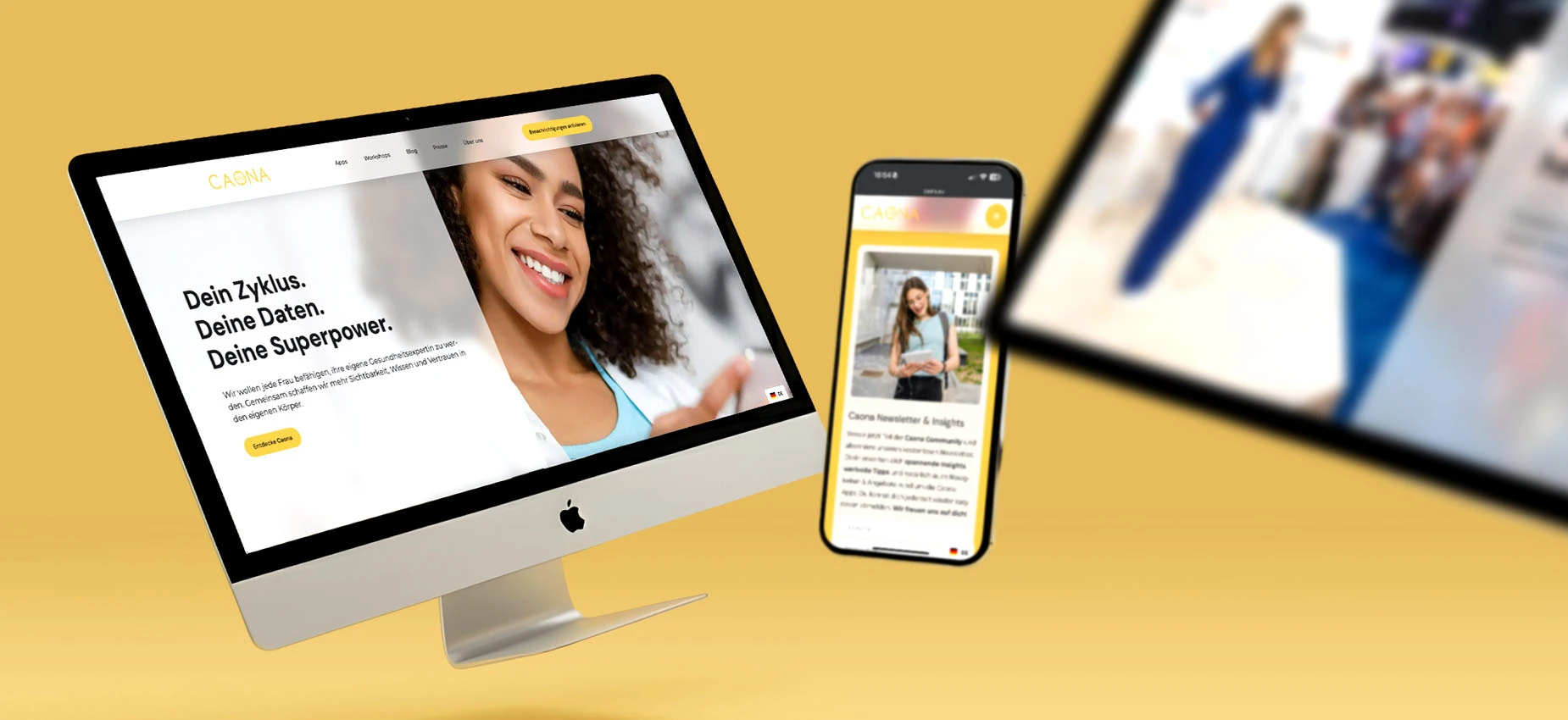
Practical example: Caona Health App
What retrofitting costs
| Starting point | Typical effort | Approximate cost |
|---|---|---|
| Modern website, clean components, only contrast and focus fixes needed | 2–4 days | 2.000–4.000 € |
| Medium-sized website with forms and booking, some custom components | 1–2 weeks | 5.000–9.000 € |
| Shop that has grown over time, many plugins, old templates | 3–6 weeks | 10.000–15.000 € |
| New development with accessibility built in from the start | included in the project | no additional charge |
The order to follow
- Establish whether you are affected. Consumer business or not, microenterprise or not. Record the outcome in writing.
- Carry out the self-test. Work through the ten points above and document them with screenshots.
- Publish an accessibility statement. Be honest, list known gaps and provide a feedback address.
- Fix critical journeys first. Everything that leads to completion: forms, basket, checkout, booking.
- Commission an audit. A detailed assessment is only worthwhile once the obvious errors have been removed.
- Plan for maintenance. Every new page or plugin can introduce barriers. An annual check is usually enough.
Frequently asked questions
When does the requirement for accessible websites apply?+
Who must have an accessible website?+
Are microenterprises exempt from the BFSG?+
What does WCAG 2.1 AA mean in practice?+
How do I check whether my website is accessible?+
What are the consequences of breaching the BFSG?+
Do I need an accessibility statement?+
What does it cost to make an existing website accessible?+
Is an accessibility overlay or widget enough?+
Sources
- Barrierefreiheitsstärkungsgesetz (BFSG), Bundesministerium der Justiz (2021-07-16)
- EN 301 549 – Accessibility requirements for ICT products and services, ETSI (2021-03-01)
Want to see our articles more often in Google's Top Stories? Add Maluure as a preferred source.
Add on Google
Josef leads the strategic and creative development of brands at Maluure. For over a decade, he has guided medium-sized businesses from brand positioning to digital delivery.
Managing Director of Maluure GmbH, Cologne. Specialising in corporate design, brand strategy and digital brand experiences.
Weiterlesen

Website for Electricians: The Right Jobs and New Skilled Staff
Service pages, service area, references and careers: how to build an electrician website that brings preferred jobs and applications.

Website for Hotels: More Direct Bookings, Less Commission
Rooms, booking widget, location and direct benefits: how to build a hotel website that brings guests back from platforms to your own site.

Website for Physiotherapy: More Appointments and Applications
Treatments, appointment requests, team and careers: how to build a physio website that convinces patients and therapists alike.
Explore more blog topics

Website for Restaurants & Hospitality: What Guests Really Look For
Menu, opening hours, reservations: how to build a restaurant website that convinces guests in seconds and gets found locally.

A Website for Dental Practices: What Really Matters in 2026
Which content a dental website needs, how local SEO brings inquiries, and what a practice website really costs.

Willi on the DNA Insider Podcast: Marketing Needs Clear Prices
Willi was a guest on the DNA Insider Podcast by the Deutscher Netzwerk Award. Eleven minutes on clear pricing, founding Maluure with his brother Josef, and why networking is no buzzword for us.