Commissioning an explainer video: costs, styles and what to look for
An animated explainer video explains your product in 90 seconds. What production costs, which style fits and how to recognise a good production company.
How much does it cost to commission an explainer video?
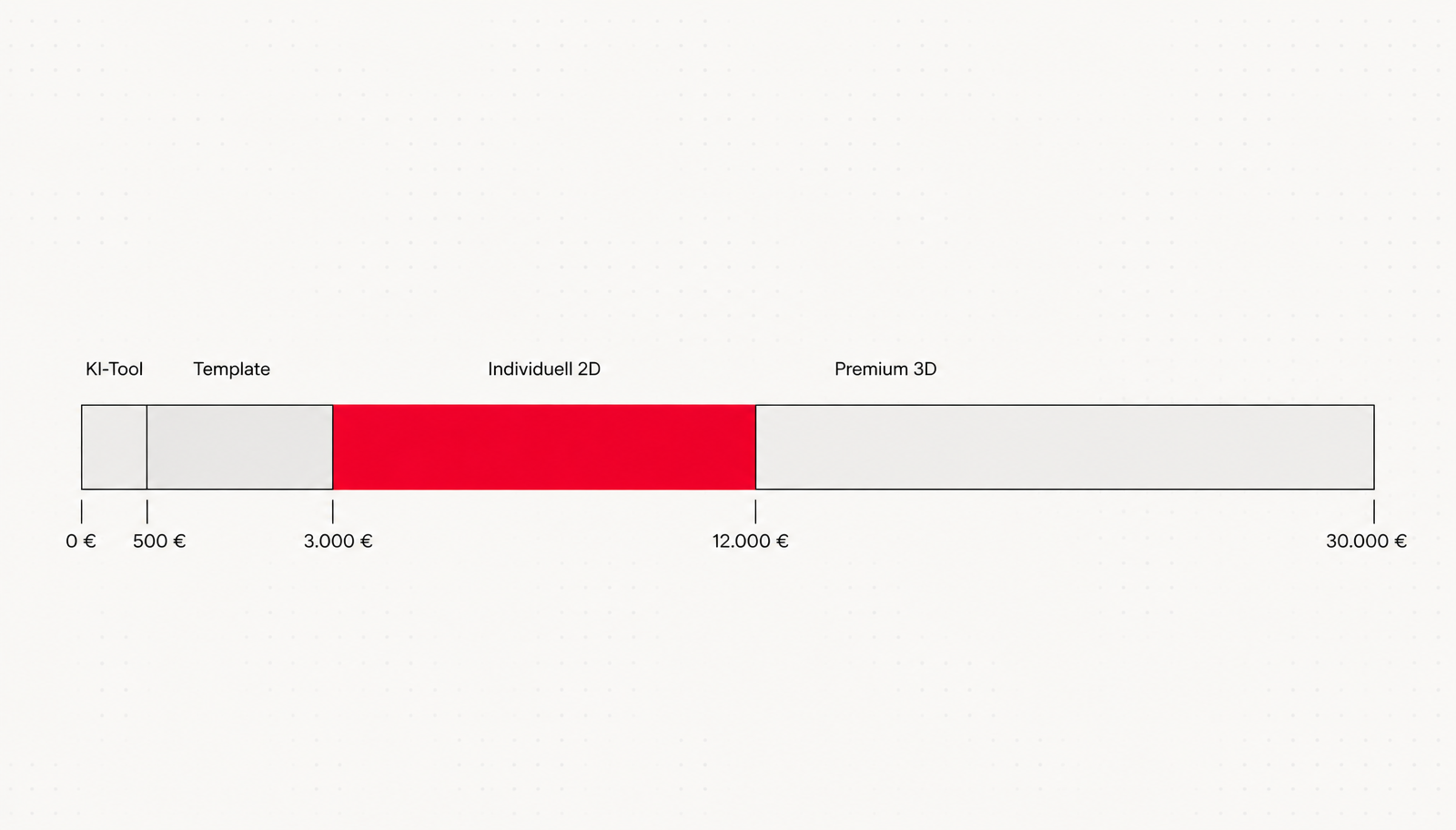
| Tier | Price | What you get | When it makes sense |
|---|---|---|---|
| AI tool | 0 to 500 € | Automatically generated clips from text templates | Internal training, quick tests |
| Template | 500 to 3.000 € | Pre-built scenes, your text and colours | Simple products, small budgets |
| Bespoke 2D | 3.000 to 12.000 € | Original script, design and characters | Brand communications, website, sales |
| Premium 3D | 12.000 to 30.000 € | Detailed 3D environments, photorealistic renders | Products you cannot otherwise show |
Which explainer video style suits your subject?
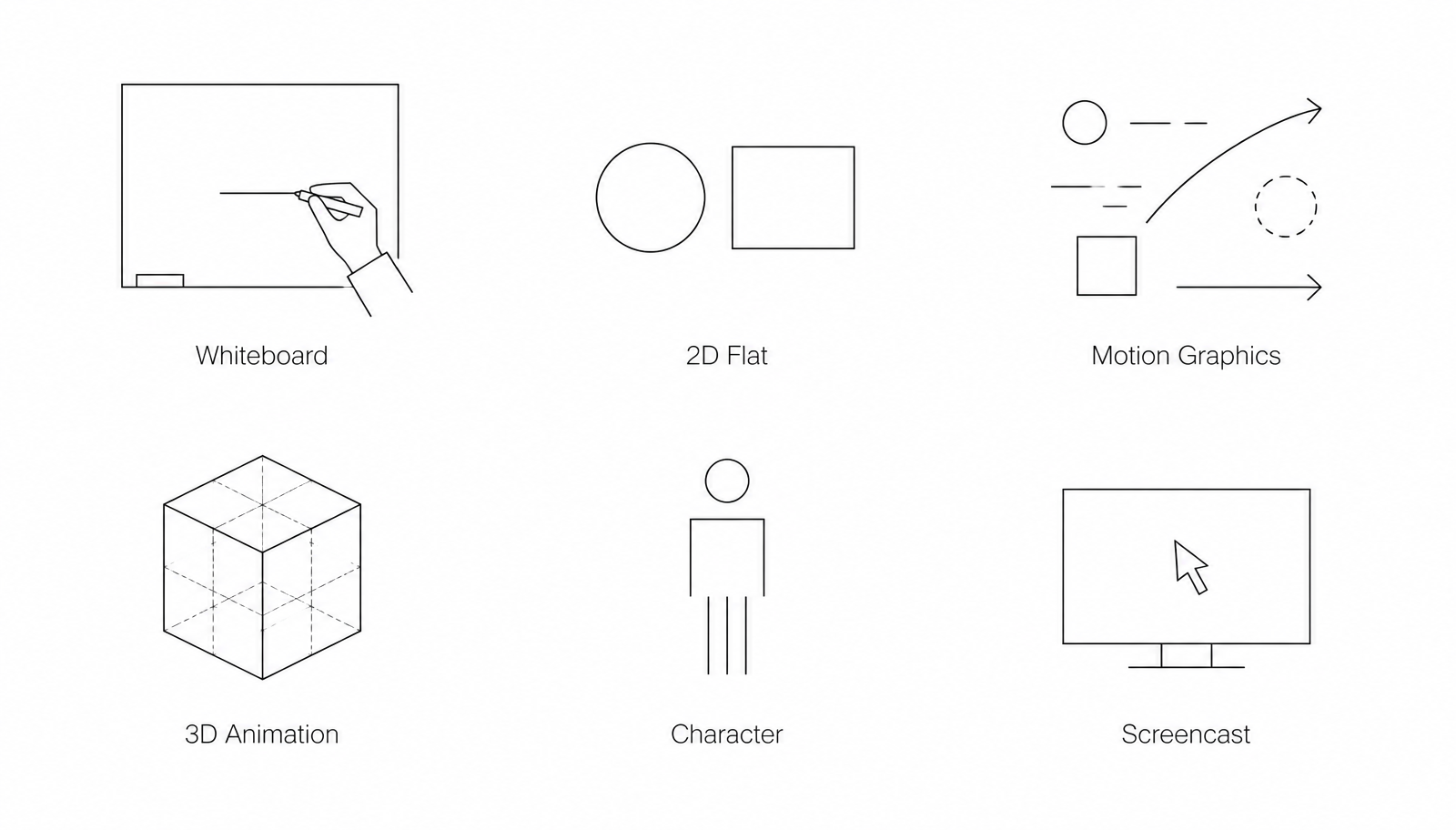
- Whiteboard: A hand draws the story as it unfolds. Works well for complex, rational subjects such as insurance or processes, but now often feels dated.
- 2D Flat Design: Flat characters and shapes, clean and modern. The standard for most corporate videos because it can accommodate almost any visual identity.
- Motion Graphics: Abstract shapes, charts and typography in motion. Ideal for data, workflows and B2B subjects without human characters.
- 3D Animation: Three-dimensional, often photorealistic visuals. The right choice when you need to show products that are hidden inside something, do not yet exist or are too small for a camera.
- Character Animation: A recurring character carries the story. Highly recognisable and well suited to series and campaigns.
- Screencast: Your software's actual screen, with zooms, highlights and a voiceover. An essential part of almost every software video.
Should you create an explainer video yourself or commission one?
| Approach | Realistic costs | Internal time commitment | Suitable for |
|---|---|---|---|
| AI generator | 0 to 40 € per month | 2 to 5 hours | Internal updates, quick tests, drafts |
| Template-based tool | 15 to 100 € per month | 8 to 20 hours | Training, social clips, recurring formats |
| Freelancer | 1.500 to 5.000 € | 3 to 6 hours | A clearly defined video without brand development |
| Agency | 3.000 to 12.000 € | 4 to 8 hours | Website, sales, brand, reusable system |
Explainer videos for SaaS: the particular challenges of software
- What problem does the software solve? The first ten seconds should focus on your audience's pain point, not your logo.
- What does the solution feel like? Short screencast sequences show the two or three most important workflows, deliberately simplified and uncluttered.
- What happens next? A single call to action: book a demo, try it for free, learn more. Not all three at once.
Even the best explainer video is useless if the script is weak. We write the voiceover copy first and read it aloud before creating a single image. Work the other way round and you are producing expensive moving wallpaper.
Project example: Blue Ant
How explainer video production works
- Briefing and script: Target audience, core message, tone of voice. The voiceover copy is written before anything else, then read aloud and timed.
- Storyboard: Each scene shown as a single image, with the voiceover copy underneath. This is where you can see whether the narrative works.
- Style frames: Two or three fully developed images in the final visual style. Animation only begins once you approve them.
- Animation and audio: The production itself, with voiceover, sound design and music.
- Approvals and formats: The final version plus shorter edits for social media, ideally planned from the outset. A shoot or production should deliver more than just one video, as we also explain in our article on using video on social media.
Which production mistakes should you avoid?
- Too many messages: An explainer video has room for exactly one core message. Try to fit three products, the company history and the new app into 90 seconds, and you end up explaining nothing.
- Features instead of problems: Nobody cares about seven features. Everyone cares whether their problem gets solved. The script must start with your audience's pain point, not your product list.
- Cutting costs on the voiceover: A good voiceover artist costs 300 € to 800 € and does half the work of carrying the video. A weak voice or an unrefined AI voice undermines even the best animation.
- Unclear usage rights: Music, voiceovers and characters need clearly defined usage rights, ideally with no time limit and across all your channels. Get this in writing in the quote, not after the invoice.
- Ordering only one format: The video is delivered in 16:9, but you need it on LinkedIn, Instagram and your website. Producing short versions in 1:1 and 9:16 at the same time costs little extra; adding them later gets expensive.
Training video, educational video or product video: what do you actually need?
- Explainer video: 60 to 90 seconds, explaining a problem and your solution. The aim is to build understanding and prompt a next step. Belongs on your homepage, landing pages and in sales.
- Product video: 1 to 3 minutes, showing a specific product with its features and details. The aim is to support the purchase decision just before the sale.
- Training video: 3 to 10 minutes, guiding viewers through a process step by step. The aim is to enable them to act, usually internally or in customer support.
- Educational video: Part of a series, structured for learning, with repetition and practice. The aim is to transfer knowledge across several lessons.
How do you measure the success of your explainer video?
- Watch time: How many viewers make it to the call to action at the end? Below 50 % suggests a problem with length or narrative structure, not the wrong subject.
- Landing page conversion: Compare enquiries from the page with and without an embedded video. This is where the real value shows, not in view counts.
- Use in sales: Does your sales team share the video during initial conversations and in proposals? A video that sales ignores usually answers the wrong questions.
How do you recognise a good explainer video agency?
- Who writes the script? If the answer is "You supply the text", you are buying animation services only. That may suit your needs, but it is different from a production that includes concept development.
- Will I see style frames before animation begins? Reputable providers show two to three finished images in the final style before animating. Going straight to animation makes revisions expensive.
- How many revision rounds are included? Two rounds per phase are standard. Unlimited revisions sound generous, but usually lead to vague contracts.
- What usage rights do I get? Unlimited duration, worldwide, all channels, including music and voiceover. Anything less will catch up with you in two years.
- Will I get the project files? Not a given, but negotiable. Without them, every later change becomes a new project.
Is an explainer video worth it for your business?
Frequently asked questions
How much does an explainer video cost?+
How long should an explainer video be?+
What is the difference between an explainer video and an explainer film?+
Which style works best for a SaaS explainer video?+
How long does it take to produce an explainer video?+
Can I create an explainer video myself using AI?+
What should an explainer video brief include?+
Is an explainer video worthwhile for small businesses too?+
What is the difference between an explainer video and a training video?+
Is an explainer video tool such as Simpleshow or Canva worth it?+
How do I recognise a good explainer video agency?+
Sources
- The State of Video Marketing 2025, Wyzowl (2025)
- Video Marketing Statistics und Conversion-Studien, HubSpot (2025)

Josef leads the strategic and creative development of brands at Maluure. For over a decade, he has guided medium-sized businesses from brand positioning to digital delivery.
Managing Director of Maluure GmbH, Cologne. Specialising in corporate design, brand strategy and digital brand experiences.
Weiterlesen

Eugene Schwartz's 5 Levels of Awareness: Why Nobody Buys Before They're Ready
Eugene Schwartz's five levels of awareness explain why the same copy works on one visitor and fails on the next. Includes a mapping table and practical steps for websites.

The Homepage That Wants to Say Everything at Once
Many company homepages don't fail because of design, they fail because of the message: they try to tell every visitor everything. Why that doesn't work, and how to arrive at a clear core message.
Maluure Principle: Never Automate a Bad Process
Automation makes good workflows faster and bad workflows faster at being bad. Our first Maluure principle explains why order matters and how to tell if a process is ready for automation.
Explore more blog topics
Hick's Law: Why Every Extra Option Slows Down Your Website
The more options you give visitors, the longer they take to decide, and the more often they decide not to decide at all. Hick's Law explains the connection, and we show what to do about it.

Google Ads DIY or Hire an Agency?
Running Google Ads yourself is possible, but not always cheap. When DIY pays off, at what budget an agency beats the tuition fee of learning, and how to prepare a clean handover.

Websites for tax advisers, law firms & financial services providers: What 100 % care requires
For tax advisers, law firms and financial services providers, a website is not just about looks, but trust, precision and legal compliance. We outline the key areas that need careful attention.