SEO & Marketing

    Structuring a blog post for SEO: length, E-E-A-T and keyword coverage

    How to structure an individual blog post so it ranks: appropriate length, a layout aligned with search intent, genuine E-E-A-T signals and keyword coverage without keyword stuffing.

    of Josef KujawskiUpdated: 17 September 20269 min read2.218 Words
    Structuring a blog post for SEO: length, E-E-A-T and keyword coverage
    Short answer
    An SEO-optimised blog post serves exactly one search intent: one focus keyword, three to six secondary keywords and six to ten long-tail questions in the FAQ. Depending on the topic, a useful length is 1.200 to 2.500 words; information density matters more than word count. E-E-A-T is built through named authors, real project examples, documented sources with dates and visible updates. Technically, the post needs server-side rendering, exactly one H1, Article and FAQPage schema, and internal links. Finally: actively request indexing in Google Search Console.

    How long does a blog post need to be to rank?

    Length is not a ranking factor, but an indicator. Google assesses whether a page fully satisfies search intent [1]. An article that does this is almost never 400 words long, and rarely 5.000 words long either. A useful rule of thumb: look at what ranks in the top 10 and cover the same breadth of topics without adding filler.

    Article typeTarget rangeWhen it fits
    Definition article700–1.000 wordsA clearly defined question, low competition
    Guide / How-to1.200–2.000 wordsMultiple subquestions, comparisons, steps
    Money-keyword article1.800–2.500 wordsCosts, choosing a provider, purchase decisions
    Pillar page2.500–4.000 wordsOverview page for a topic cluster

    What matters is the information density of each paragraph. If you can remove a paragraph without losing any information, it was filler, and filler reduces dwell time.

    Kernaussage
    Write as much as search intent requires, and not a paragraph more. An article with 1.400 information-rich words beats 2.800 padded ones.

    What content belongs in every article?

    Regardless of the topic, articles that rank follow a recurring structure:

    1. A short answer at the top. Three to five sentences that directly answer the question in the title. This is precisely the block that ChatGPT, Perplexity and Google AI Overviews prefer to cite.
    2. One H2 per subquestion, phrased as a question. This covers “People also ask".
    3. At least one table with real figures or criteria. Tables win featured snippets.
    4. At least one ordered list for processes or criteria.
    5. A practical example from your own work, not from other blogs.
    6. An FAQ at the end with six to ten questions, marked up with FAQ schema.
    7. One clear next step, not three competing CTAs.
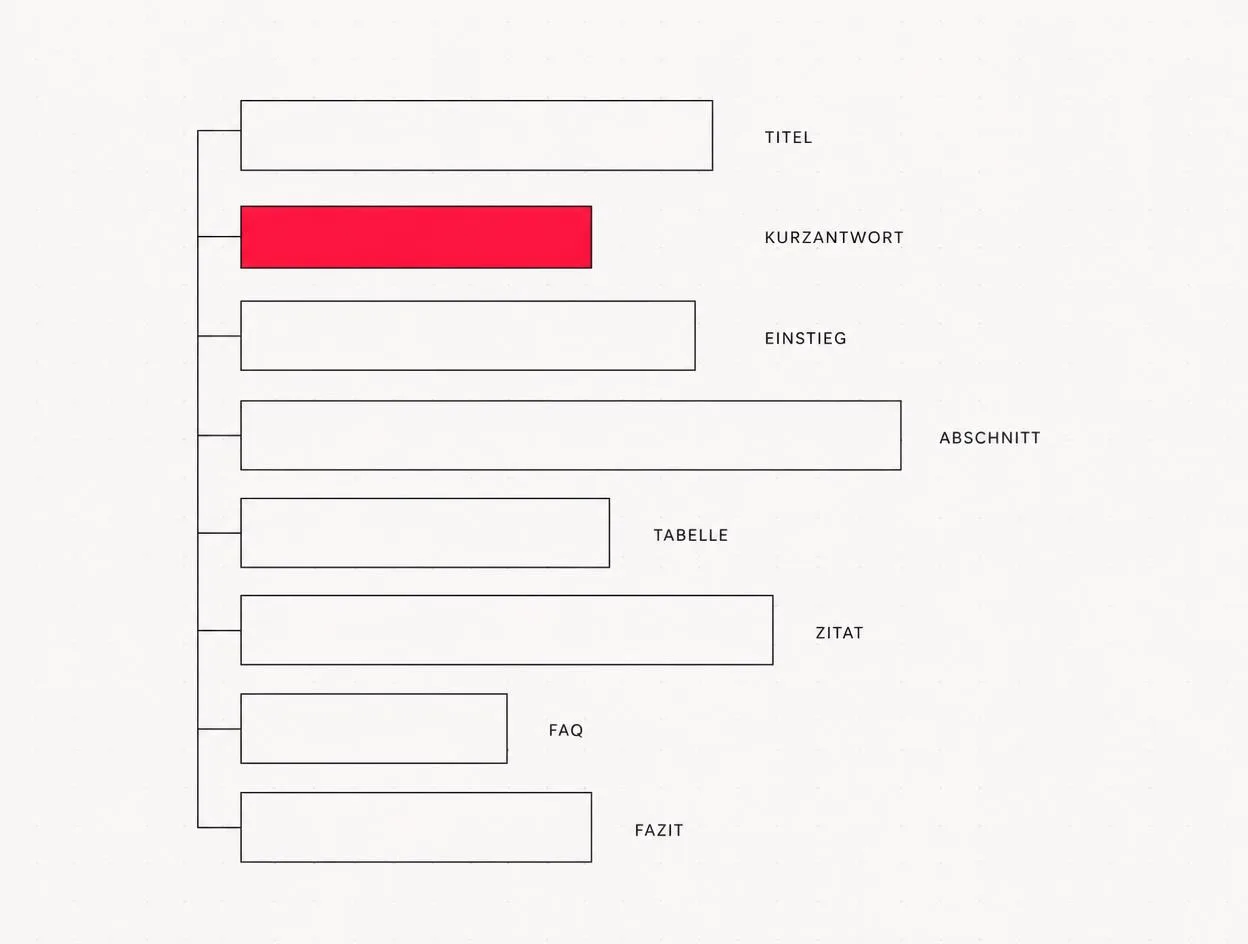
    Anatomy of an SEO-optimised blog post: eight building blocks from title to conclusion, with the short answer highlighted
    The order is no coincidence: the short answer comes before the body text because search engines and language models read there first.

    What are E-E-A-T signals and how do you incorporate them?

    E-E-A-T stands for Experience, Expertise, Authoritativeness and Trust and comes from Google's Quality Rater Guidelines [2]. It is not a direct ranking factor, but an assessment framework that Google approximates through many individual signals. For an individual blog post, this means providing evidence that the writer has actually done the work they describe.

    Experience: the difference almost everyone leaves out

    Experience is the newest of the four criteria and the most valuable for agencies. It does not ask “Do you know this?", but “Have you done this yourself?". In practical terms, include:

    • A real project with a name, starting point and outcome, linked to the case study.
    • Figures from your own work rather than third-party studies, clearly identified as your own experience.
    • Screenshots from real tools, proposals or analyses, not stock libraries.
    • Honest limitations: when does your approach not work?

    Expertise, Authoritativeness, Trust

    SignalImplementation in the articleImplementation on the site
    ExpertiseNamed author with their role, depth of knowledge rather than generalitiesAuthor profile with professional background, Person schema
    AuthoritativenessCited primary sources with dates and publishersInternal links from the topic cluster, external mentions
    TrustVisible publication and update datesLegal notice, contact details, HTTPS, clear pricing

    We do not write articles about things we have not built ourselves. This is not about sticking to principles for their own sake, but simple economics: content without first-hand experience eventually stops ranking, and then the work was wasted.
    Josef Kujawski, Geschäftsführer Maluure GmbH

    Why E-E-A-T has become more important since AI answers arrived

    Language models need sources they can cite. An article that provides a specific figure, a named originator and a date is cited more often in AI Overviews and chat responses than content that makes the same point vaguely. In practice, this means writing sentences that can be quoted word for word without needing surrounding context.

    Kernaussage
    Every statement in an article should have one of three foundations: first-hand project experience, a documented primary source or a clearly labelled assessment. Everything else is an assertion.

    How many keywords does a blog post need?
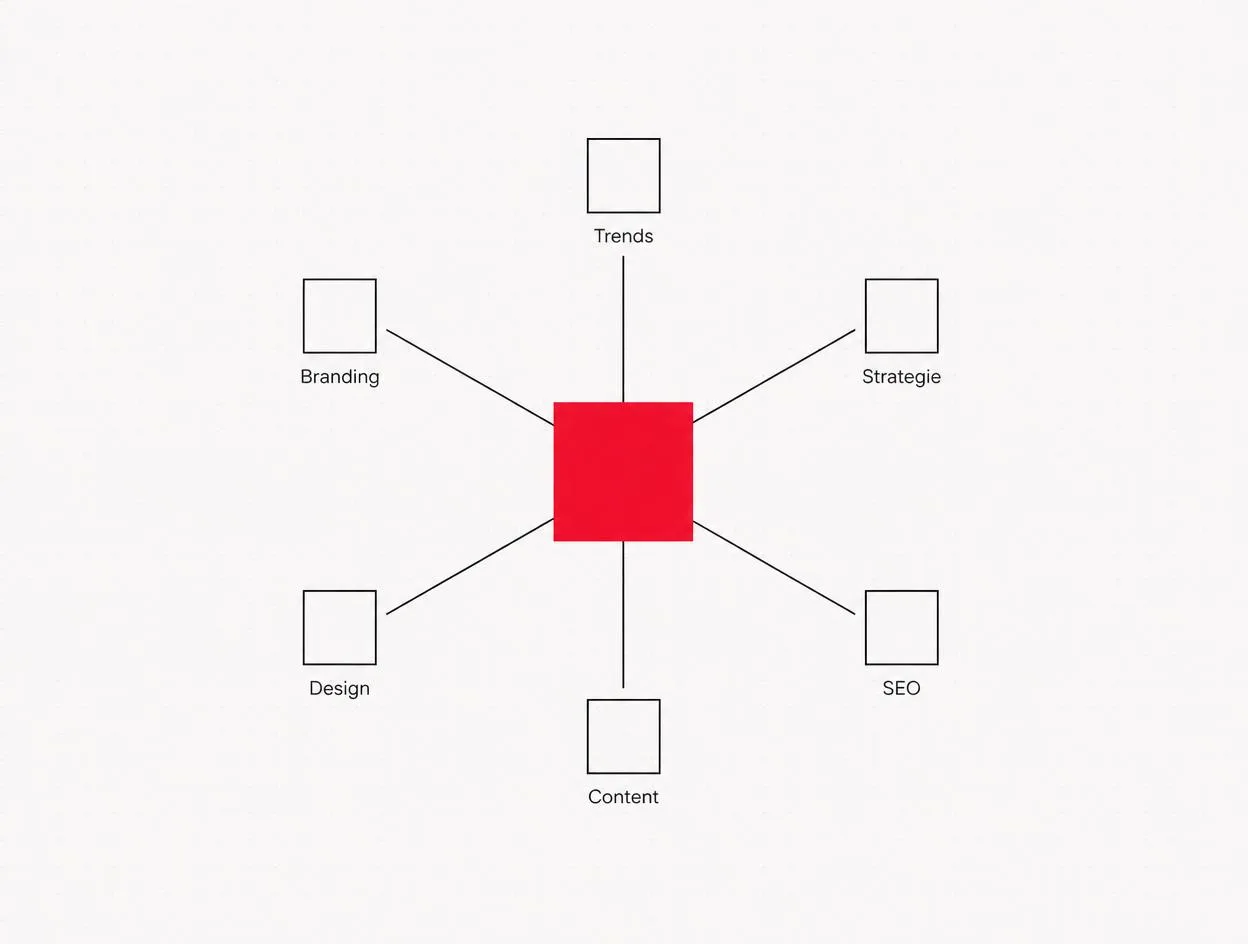
    An article serves one search intent and therefore one focus keyword. Everything else is a variation, not an additional target. If you put two focus keywords into one article, both compete for the same page and neither wins. This is the most common mistake on company blogs.

    Keyword cluster: one focus keyword in the centre, six secondary keywords as satellites
    One focus keyword, several secondary keywords. The satellites are sections within the same article, not separate articles.

    A realistic keyword distribution per article

    LevelNumberWhere in the text
    Focus keyword1H1, short answer, first H2, meta title, slug, hero image alt text
    Secondary keywords3–6Each in its own H2 or H3, naturally in the body text
    Semantic terms15–30Distributed throughout the text, without counting
    Long-tail questions6–10FAQ block

    Semantic terms are words that inevitably appear when someone genuinely understands the subject. For “structuring a blog post for SEO", these might include search intent, snippet, internal linking, indexing and schema markup. You do not need to place them deliberately; you just need not to avoid them.

    How do you cover a keyword fully?

    1. Determine search intent. Informational, commercial or transactional? The top 10 will tell you in thirty seconds.
    2. Read the SERP structure. Which H2s do the first five results use? Which “People also ask" questions does Google show? That is your outline.
    3. Find the gap. What is missing from all ten results? Usually: specific figures, a real example or an honest limitation.
    4. Write the outline before the article. One H2 per subquestion, no duplication.
    5. Check after writing. Does the text answer every question from step 2 clearly and in an easy-to-find place?

    Keyword density: the short answer

    There is no target value. Google has worked semantically rather than through term frequency for years [3]. In practice: place the focus keyword in structurally important positions (title, short answer, one H2, slug, one alt text), then use it as often as feels natural. If you notice a word appearing too often as you read, it is appearing too often.

    Which technical details also matter?

    The best content is useless if the page delivers it poorly. We check these points for every article we publish:

    • Server-side rendering. The content must be in the HTML, not loaded later via JavaScript. Otherwise, many AI crawlers see nothing.
    • Exactly one H1, followed by a clean H2/H3 hierarchy with no skipped levels.
    • Article and FAQPage schema, plus breadcrumbs. Generate the FAQ schema automatically from the FAQ field, not manually.
    • Meta title under 60, description under 160 characters, with the focus keyword at the start.
    • Images in WebP format with descriptive alt text and defined dimensions to prevent layout shifts.
    • Internal links: two to four per article, with descriptive anchor text, plus a link back from the pillar page.
    • Publication and update dates visible on the frontend and in the schema.

    To learn how to connect these articles into a structure rather than leave them standing alone, read our post on topic clusters and content clusters. And if an existing blog is holding you back technically, the relaunch checklist will help you put things in order.

    How do you get the article indexed?

    Published does not mean indexed. Without actively submitting it, Google can take weeks to find a new post, especially on newer domains. That is why this step should be a fixed part of your workflow:

    1. Publish the article and check the live URL in your browser (status 200, content visible in the source code).
    2. Open URL Inspection in Google Search Console and paste in the full URL.
    3. Click Test live URL and check whether the page is reported as indexable.
    4. Click Request indexing. It usually takes hours to a few days after that.
    5. After two weeks, check the “Pages" report to confirm that the URL has actually been indexed.
    6. Check the sitemap: the article must appear in sitemap.xml, otherwise the crawler will not find it automatically on its next pass.

    Which layout fits which search intent?
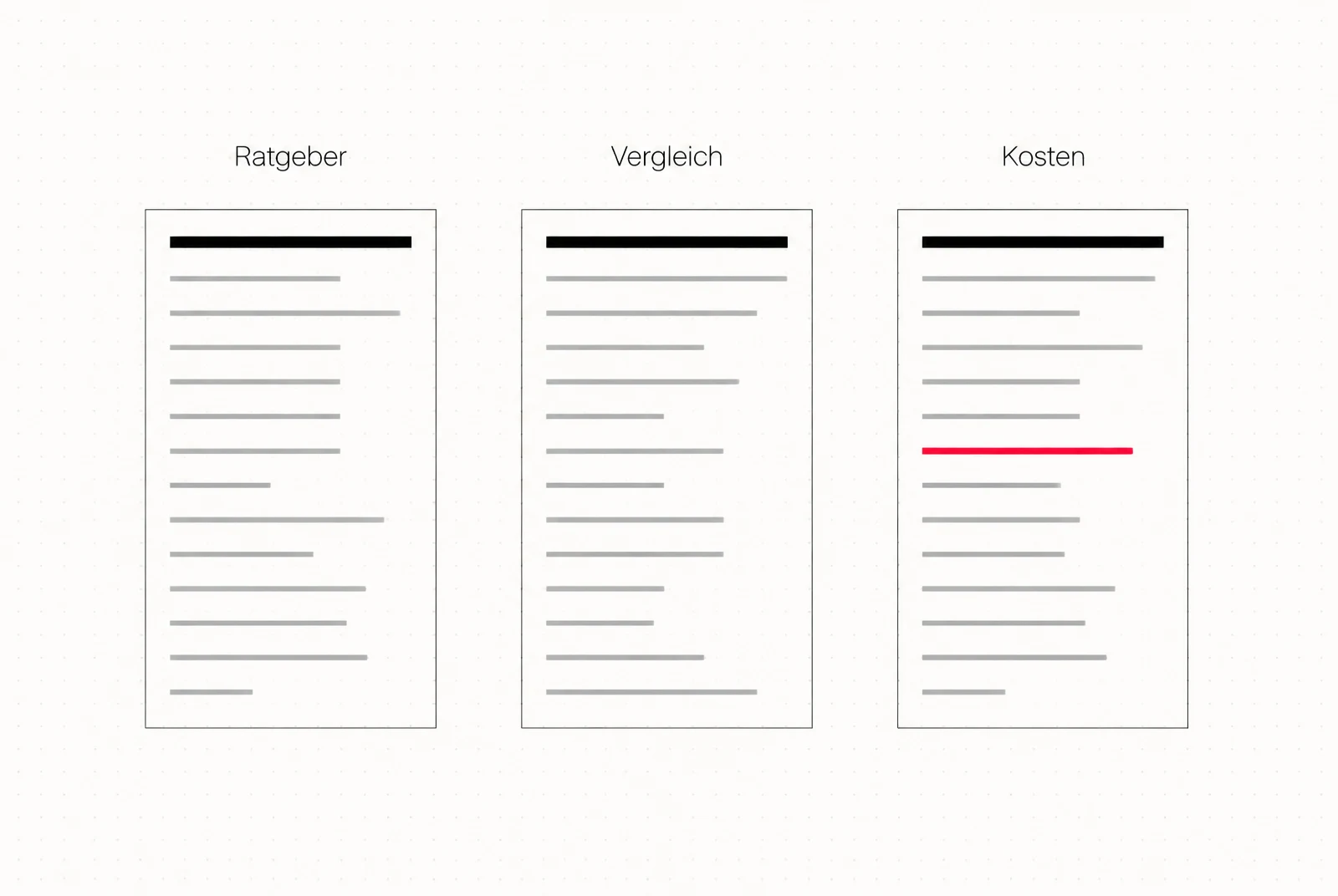
    The same text does not work in every format. Someone asking about costs wants a table, not prose. Someone comparing options wants criteria side by side. That is why we decide on the layout before writing the first sentence.

    Three article layouts compared: guide, comparison and costs, each shown as a schematic outline
    Three intents, three outlines. In the costs article, the figure appears early in the text, not in the conclusion.
    Search intentTypical queryWhat must appear at the topEssential elements
    Informational“what is …", “how does … work"Definition in two sentencesShort answer, step-by-step lists, FAQ
    Commercial“… comparison", “… providers"Recommendation with a conditionComparison table, criteria, limitations
    Transactional“… costs", “have … created"Specific figure or rangePricing table, worked example, clear CTA
    Local“… Cologne", “… near me"Location, accessibility, reference projectLocal case studies, directions, LocalBusiness data

    How do you write paragraphs that can be cited?

    Language models and featured snippets extract paragraphs, not articles. A citable paragraph meets three conditions: it answers a question fully, it works without the preceding paragraph, and it contains at least one specific detail. In practice: the first sentence gives the answer, the second the figure or condition, and the third the limitation. Everything after that adds depth.

    Practical example: BxC Security, from relaunch to content structure

    We rebuilt the website for BxC Security using exactly the sequence described here: first clarify which search intent each page serves, then define the structure and layout, then create the copy and imagery. The starting point was a site that said a lot about the company and little about the questions prospective customers bring with them.

    The implementation: a clear page hierarchy with exactly one H1 per page, service content presented as standalone answers rather than a list, visible contact options and a technical setup that delivers text in the HTML rather than loading it later via JavaScript. Applied to the blog, this means each article gets a question as its title, a short answer and a layout that matches the intent.

    Website relaunch for BxC Security with a clear site structure, delivered by Maluure GmbH
    BxC Security: website relaunch with a clear content hierarchy and server-side rendering, delivered by Maluure GmbH.

    Read the full case study: BxC Security →

    Before we write an article, we decide which sentence we want someone to quote from it. If we cannot formulate that sentence, the topic is not yet clearly defined enough, and adding length will not help.
    Josef Kujawski, Geschäftsführer Maluure GmbH

    How do you keep an article up to date?

    Publishing an article is half the work. Here is what to schedule afterwards:

    1. After four weeks, review the search queries in the performance report. Is the article ranking for the intended search intent or a different one?
    2. After three months, check its position. Reworking content is most worthwhile between positions 11 and 20, because the jump to page one is shortest.
    3. With every update, check figures, years and sources, and visibly change the update date.
    4. Add new secondary keywords, when Search Console shows queries that the text does not yet clearly answer.
    5. Add internal links, whenever a new article on a related topic is published.

    Kernaussage
    An afternoon spent revising an article at position 12 almost always delivers more than a completely new article starting from zero.

    Conclusion: structure beats word count

    An SEO-optimised blog post is not longer content, but better-organised content. It fully answers one search intent, supports its claims with first-hand experience and genuine sources, naturally covers one focus keyword and related terms, and is delivered through a sound technical setup. Work consistently across these four areas and you do not need tricks.

    Have topics but no structure behind them? We will review your blog and tell you which articles are worth pursuing and which you should merge.
    Content-Strategie besprechen

    Prefer to leave it to us?

    Individual articles only reach their full potential when they are part of a structure. Learn how to plan topic clusters in topic clusters on your blog. If you want to hand over the planning, writing and technical work: as an SEO agency in Cologne, we do this for small and medium-sized businesses.

    Frequently asked questions

    How long should an SEO blog post be?+
    Depending on the topic, 1.200 to 2.500 words. The benchmark is not the number, but whether the article fully covers the search intent. Definition questions can be answered in 700 to 1.000 words; keywords linked to purchase decisions need more.
    How many keywords belong in a blog post?+
    Exactly one focus keyword, plus three to six secondary keywords in their own sections and six to ten long-tail questions in the FAQ. Two focus keywords in one article lead to cannibalisation.
    What exactly does E-E-A-T mean?+
    Experience, Expertise, Authoritativeness and Trust. It is an assessment framework from Google's Quality Rater Guidelines, not an individual ranking factor. Google approximates it through many signals, including author details, sources, freshness and brand mentions.
    What is the ideal keyword density?+
    There is no target value. Place the focus keyword in the title, short answer, one H2, slug and one alt text, then only use it where it feels natural. Repetitions that sound awkward when read aloud are too much.
    How do I cover a keyword fully?+
    Determine search intent from the top 10, record their H2 structure and People also ask questions, identify the content gap, then write the outline and finally check that every subquestion is clearly answered.
    How do I demonstrate Experience if I have only completed a few projects?+
    Use what you genuinely have: documented working processes, your own measurements, screenshots from real tools and honest limitations. A small, real example is more convincing than a large, vaguely described one.
    Do I need FAQ schema for every blog post?+
    It is useful wherever genuine user questions are answered. The schema is generated automatically from the stored questions and increases the chance of visibility in People also ask and AI answers.
    How long does it take for a new blog post to rank?+
    After indexing, it usually takes four to twelve weeks to reach stable positions, longer for highly competitive keywords. Without internal links from existing articles, it takes significantly longer.
    Do I need to request indexing in Search Console?+
    It is not essential, but it speeds things up considerably. Use URL Inspection, run the live test and request indexing as soon as the article is actually accessible.
    Should I update old blog posts instead of writing new ones?+
    If an existing article serves the same search intent: yes. Updating and expanding it is almost always more effective than a second article on the same topic that cannibalises the first.

    Sources

    1. Creating helpful, reliable, people-first content, Google Search Central (2025)
    2. Search Quality Rater Guidelines, Google (2025)
    3. SEO Starter Guide: Keyword-Dichte ist kein Rankingfaktor, Google Search Central (2025)
    #SEO#Blog Post#E-E-A-T#Keyword Research#Content
    Josef Kujawski
    Author
    Josef Kujawski
    Managing Director & Creative Director at Maluure

    Josef leads the strategic and creative development of brands at Maluure. For over a decade, he has guided medium-sized businesses from brand positioning to digital delivery.

    Managing Director of Maluure GmbH, Cologne. Specialising in corporate design, brand strategy and digital brand experiences.

    Newsletter

    New articles straight to your inbox.

    A newsletter when we genuinely have something new to share. No noise.

    Weiterlesen

    Explore more blog topics