Google Ads Budget: How Much Do You Really Need?
Instead of guessing a budget, calculate it backwards from leads, conversion rate and cost per click. With formula, example and test phase.

The wrong question first
The formula
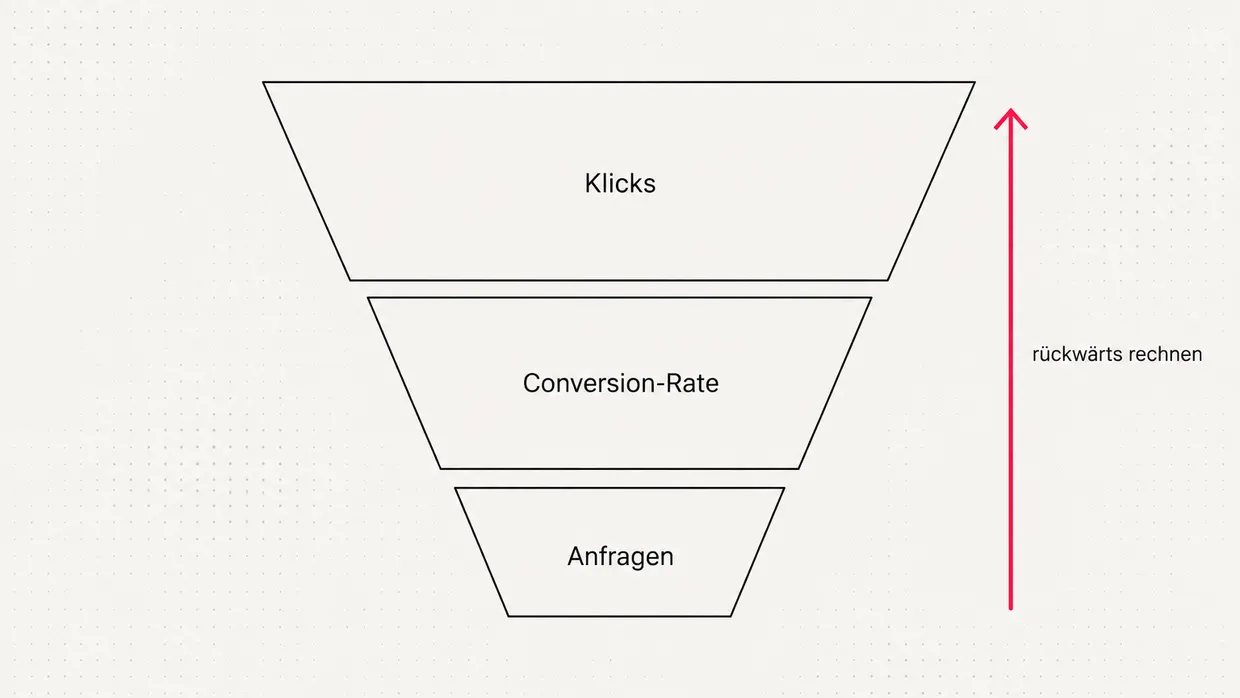
- Set the goal: how many leads or sales do you want per month?
- Estimate the conversion rate: what percentage of visitors enquire on your landing page?
- Calculate required clicks: leads divided by conversion rate.
- Determine cost per click: Keyword Planner provides the bid range. [2]
- Calculate the budget: clicks times average cost per click.
A worked example
| Step | Assumption | Result |
|---|---|---|
| Target leads | 20 per month | 20 |
| Conversion rate | 5% | 400 clicks |
| Cost per click | €2.50 | €1,000 monthly budget |
| Cost per lead | €1,000 ÷ 20 | €50 |
Is it profitable for you at all?
Understanding the daily budget
Common budget mistakes
- Too many keywords with too little budget: better to cover a few purchase-ready terms well.
- Starting without conversion tracking: without measurement you do not know what a lead costs. [3]
- Stopping too early: after two weeks the data is rarely meaningful.
- Mixing ad budget and management: plan both separately, or click budget will run short.
- Homepage as destination: drives cost per lead up unnecessarily.
Plan the test phase
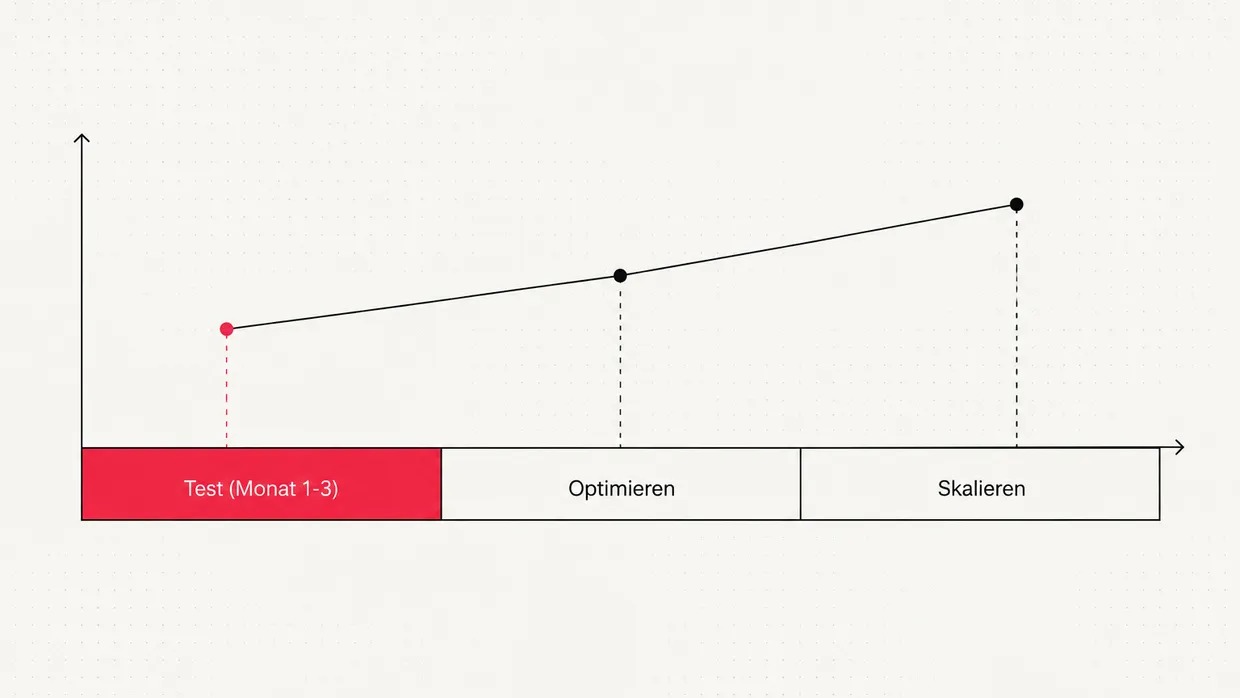
A small budget is not a problem. A budget spread across too many keywords is. Then nobody learns anything, neither Google nor you.
Starting budget by situation
| Situation | Goal of the test phase | What the budget must achieve |
|---|---|---|
| Local service provider, few services | First leads, learn real click prices | Enough clicks daily for the most important 5 to 15 keywords |
| Service provider with several services | Find out which service pays off | A separate campaign per service with enough clicks |
| Online shop | Find profitable products and categories | Enough clicks so sales become measurable per product group |
| B2B with high order value | Qualified leads | Plan for high click prices, but few, highly targeted terms |
What comes on top of the click budget
- Ad budget: goes directly to Google and is billed per click.
- Setup: account structure, keyword research, ads, assets.
- Conversion tracking: clean measurement, including GDPR consent.
- Landing page: a fitting destination page if none exists yet.
- Ongoing management: reviewing search terms, adjusting bids, testing ads.
When to increase the budget
- Cost per lead is consistently below your target.
- Google shows "limited by budget" and you lose impression share because of budget.
- Lead quality is right, meaning leads actually turn into orders.
- You have the capacity to handle additional leads.
Saving budget without losing results
- Maintain negative keywords: exclude terms like "free", "jobs" or "DIY" if they do not fit.
- Control time and location: show ads only in your service area and at times you are reachable.
- Improve the landing page: a higher conversion rate directly lowers cost per lead. More in the article on Quality Score.
- SEO as a second pillar: in the long run organic visibility reduces dependence on click prices, see Google Ads vs. SEO.
Conclusion
Frequently asked questions
How much budget do I need for Google Ads?+
How do I calculate my Google Ads budget?+
How do I find the cost per click for my keywords?+
Can Google spend more than my daily budget?+
What happens with a budget that is too small?+
How long should the test phase last?+
Are agency fees part of the ad budget?+
When should I increase my Google Ads budget?+
How can I save budget in Google Ads?+
Sources
- Durchschnittliches Tagesbudget festlegen, Google Ads Hilfe (2025)
- Keyword-Planer verwenden, Google Ads Hilfe (2025)
- Conversion-Tracking einrichten, Google Ads Hilfe (2025)

Josef leads the strategic and creative development of brands at Maluure. For over a decade, he has guided medium-sized businesses from brand positioning to digital delivery.
Managing Director of Maluure GmbH, Cologne. Specialising in corporate design, brand strategy and digital brand experiences.
Weiterlesen

How ChatGPT and Perplexity Choose Sources and How to Become One
AI answers cite only a few sources. How ChatGPT and Perplexity find and choose them, and what your website needs for it.

Landing Page Quality Score Explained: How to Lower Your Google Ads Click Costs
Quality Score helps determine what a click costs you. The landing page is one of the biggest levers. Here is how to improve it.

Google Ads vs. SEO: Which Pays Off When?
Google Ads brings visitors immediately, SEO builds lasting visibility. When each channel pays off and how both work best together.
Explore more blog topics

Websites for law firms: credible presence, more mandates
Clients look for help in exceptional situations. How a law firm website builds trust, stays compliant with professional rules and brings in mandates.

Websites for estate agents: winning sellers, not just searchers
Properties find buyers via portals. Owners find agents via their website. How an estate agent website brings in sales mandates.

Websites for medical practices: trust, online booking and legal basics
Patients search online before they call. What a practice website must deliver, what the law says and how it takes pressure off the phone.