Websites for trade businesses: what they need to bring in jobs and skilled workers
Full order books but no skilled workers? A good tradesperson website brings suitable enquiries and applications. Here is what it needs.
Full order books, empty workshop: the real challenge
The three jobs of a tradesperson website
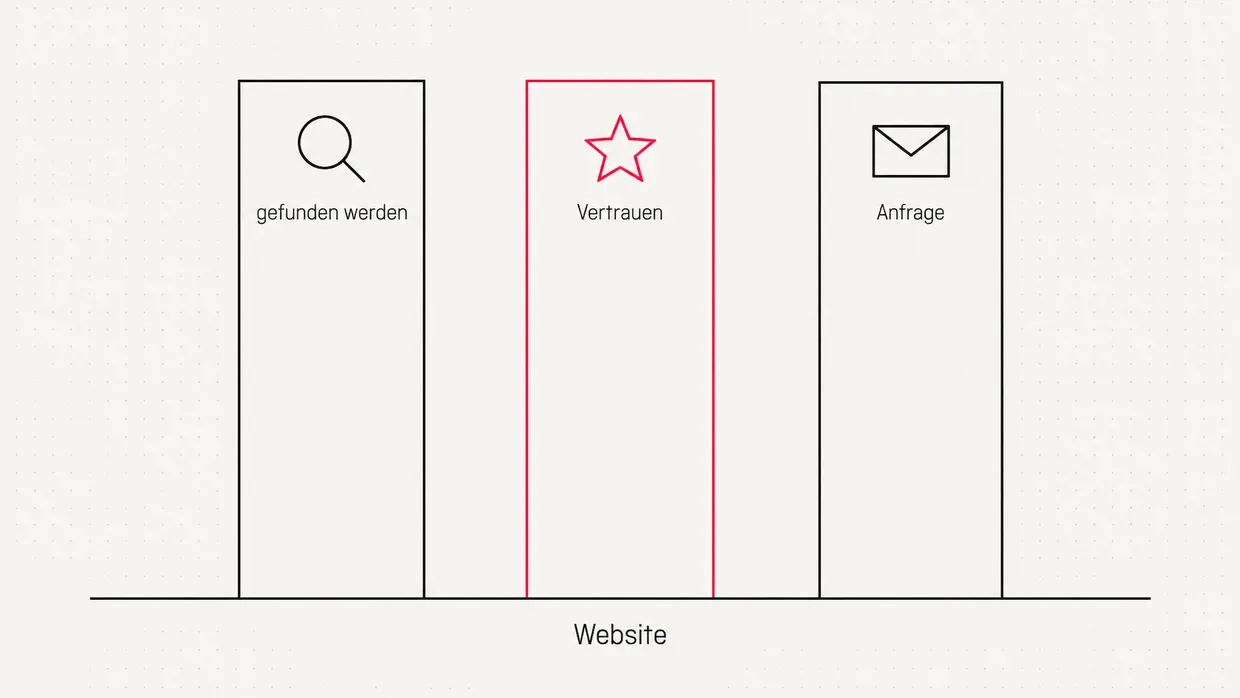
- Be found. Anyone searching for "heating engineer" or "roofer" plus their town should find you.
- Build trust. Real photos, real people, real projects. No stock photo with a hard hat.
- Make enquiries easy. On a smartphone, in a few steps, with the information you need for a quote.
What belongs on the website
| Area | Content | Why |
|---|---|---|
| Services | Each service its own page, with service area | Found specifically on Google |
| References | Before and after photos of your own projects | Strongest proof of trust |
| Team | Photos and names of contact persons | Personal, shows company size |
| Reviews | Google reviews embedded or linked | Social proof |
| Enquiry | Form in a few steps, tap-to-call phone | Lowers the barrier |
| Careers | Jobs, apprenticeships, insights, short application | Recruiting |
| Legal | Imprint, privacy, chamber of crafts | Legal basis |
Becoming visible locally
- Google Business Profile completed in full, with categories, opening hours, photos and service area. Google names relevance, distance and prominence as factors for local rankings. [2]
- Actively collect reviews, for example via a QR code on the invoice, and reply to every one.
- Service pages with local reference, such as "bathroom renovation in Cologne-Ehrenfeld", instead of one single "services" page.
- Consistent contact details everywhere: website, profile, directories.
Enquiries that actually fit
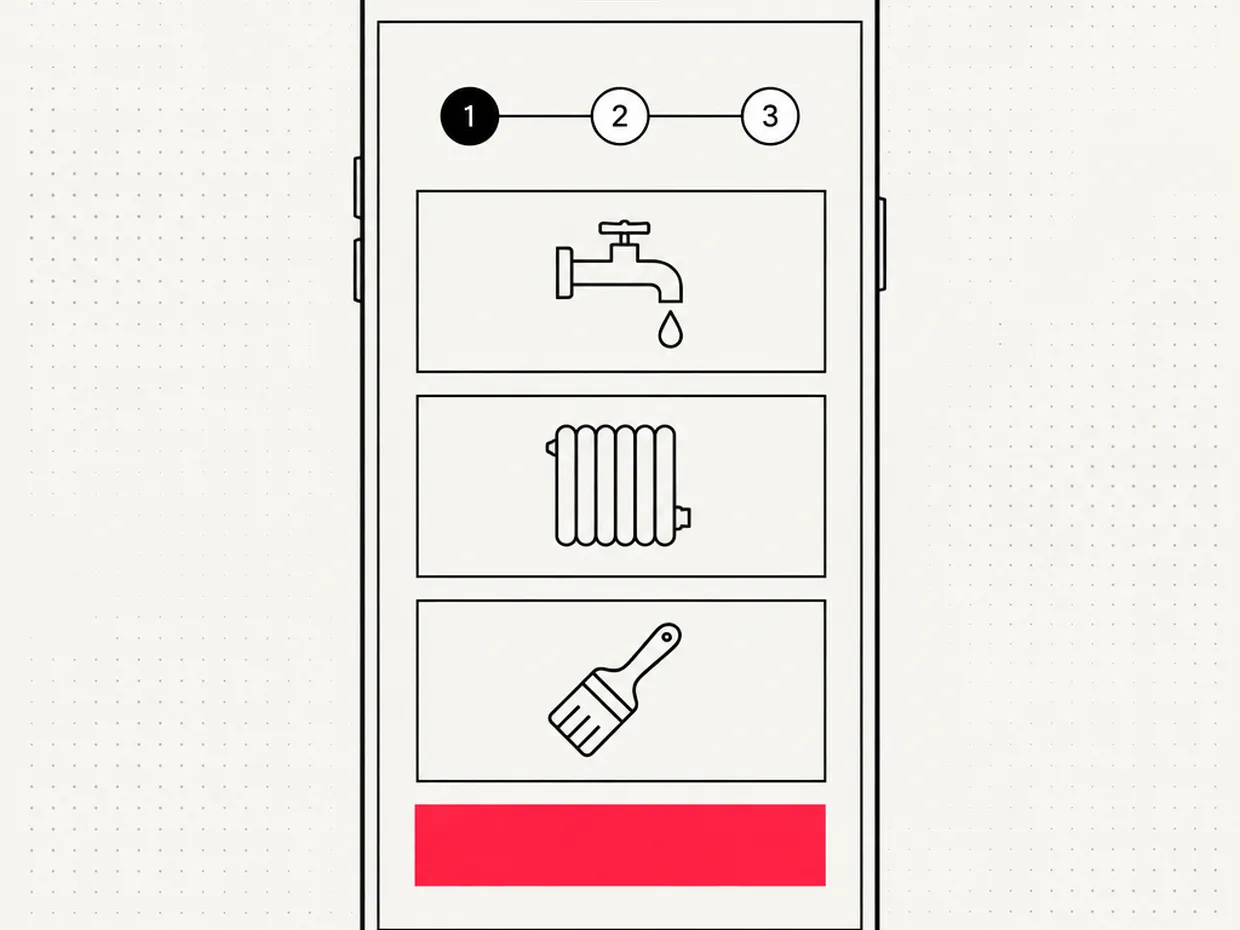
- Choose a service using large tiles.
- Enter key details: location, timeframe, rough scope, optionally upload photos.
- Leave contact details with a callback request.
The careers page: your best recruiter
- real insights into workshop, site and team
- what you offer: company van, training, working hours, tools
- a contact person with photo and phone number
- a short application without cover letter, even via WhatsApp or callback
What does a tradesperson website cost?
| Scope | Typical content | Guide price |
|---|---|---|
| Compact | Homepage, services, references, contact | approx. 3,000 to 5,000 € |
| Standard | Plus local service pages, careers | approx. 5,000 to 9,000 € |
| Extensive | Multi-step enquiry, project gallery, several locations | approx. 9,000 to 12,000 € |
Accessibility: required or optional?
With trade businesses we see it again and again: the best advertising is their own projects and their own team. Our job is to make that visible and keep the path to an enquiry or application as short as possible.
Web design for trades: what makes a good site
- Real photos instead of stock: sites, finished projects, the team, the workshop. An honest phone photo in good light beats an interchangeable archive image.
- Clear structure: services, references, about us, careers, contact. Rarely more is needed.
- Mobile first: most enquiries come from smartphones, often directly from a site or the car. Phone number and enquiry button must be reachable with a thumb.
- Fast load time: compress large galleries properly, or you lose visitors before they see the first project.
References that actually convince
- Starting point: what was the problem? A before photo.
- Solution: what did you do, with which materials, in what time?
- Result: photos of the finished project, ideally with a short customer quote.
- Location: name the district or town. This helps nearby prospects and strengthens local visibility.
Have a trades website built or build it yourself?
| Criterion | DIY website builder | Professionally built |
|---|---|---|
| Initial effort | Low, but many of your own hours | Coordination, then little own effort |
| Design | Template, often interchangeable | Tailored to business and audience |
| Local SEO | Basic features | Service pages with local focus, technology, structure |
| Careers page | Usually a simple text page | Well thought out, with a short application |
| Maintenance | Yourself, often neglected | Maintenance and updates arranged |
Common mistakes on trades websites
- No location details: "Your partner for everything roofing" does not tell Google where you work.
- Only one contact channel: some want to call, others prefer filling in a form in the evening. Offer both.
- Outdated content: a job ad from two years ago makes it look as if the business barely exists.
- A form with 15 required fields: ask only for the essentials first, clarify details in conversation.
- Missing legal notice or privacy policy: this costs trust and can lead to legal warnings.
In the trades, the conversation decides in the end. The website just has to make sure the right people call.
Checklist for your tradesperson website
- Each service has its own page with service area
- Real photos of projects and team instead of stock images
- Google Business Profile complete and with reviews
- Phone number callable with one tap on smartphones
- Enquiry form in a few guided steps
- Careers page with short application
- Fast load time even on mobile networks
- Imprint with chamber of crafts and professional title
Frequently asked questions
Does a trade business still need a website today?+
How much does a website for tradespeople cost?+
What content belongs on a tradesperson website?+
How does my trade business get found on Google?+
Does a website help find apprentices and skilled workers?+
Should I show prices on my tradesperson website?+
Does the German Accessibility Act apply to tradespeople?+
How often should I update my website?+
What should web design for trades pay special attention to?+
Should I build my trades website myself or have it built?+
Sources
- Fachkräftesituation im Handwerk, Zentralverband des Deutschen Handwerks (ZDH) (2025)
- How to improve your local ranking on Google, Google Business Profile Help (2025)
- Barrierefreiheitsstärkungsgesetz (BFSG), Bundesministerium der Justiz (2021)

Josef leads the strategic and creative development of brands at Maluure. For over a decade, he has guided medium-sized businesses from brand positioning to digital delivery.
Managing Director of Maluure GmbH, Cologne. Specialising in corporate design, brand strategy and digital brand experiences.
Weiterlesen

Website Maintenance: Costs, Services and Why It Pays Off
Updates, backups, security: what website maintenance costs, what should be included, and when you can handle it yourself.

WordPress Agency Cologne: When WordPress Fits and When It Doesn't
We support WordPress websites in Cologne, but we don't always recommend WordPress. Here's an honest look at when it fits and when other systems are better.
Packaging Design Agency: What to Look for When Choosing One
From die-cut to print approval: how to recognize a good packaging design agency and what you should budget for in terms of price.
Explore more blog topics

Getting an Online Shop Built: Costs, Systems, and Process
From Shopify to Webflow: which systems exist, what a professional online shop costs, and how to get from concept to first sale.
3D Animation for Businesses: Uses, Process, and Costs
3D animation shows what cameras can't: internal workings, processes, prototypes. What it costs, when it pays off, and how production works.

Getting a Landing Page Built: Costs, Structure, and What Matters
One page, one goal: what makes a good landing page, what it costs, and how it works together with Google Ads and SEO.