Fitts' Law: Why important buttons need to be big and close
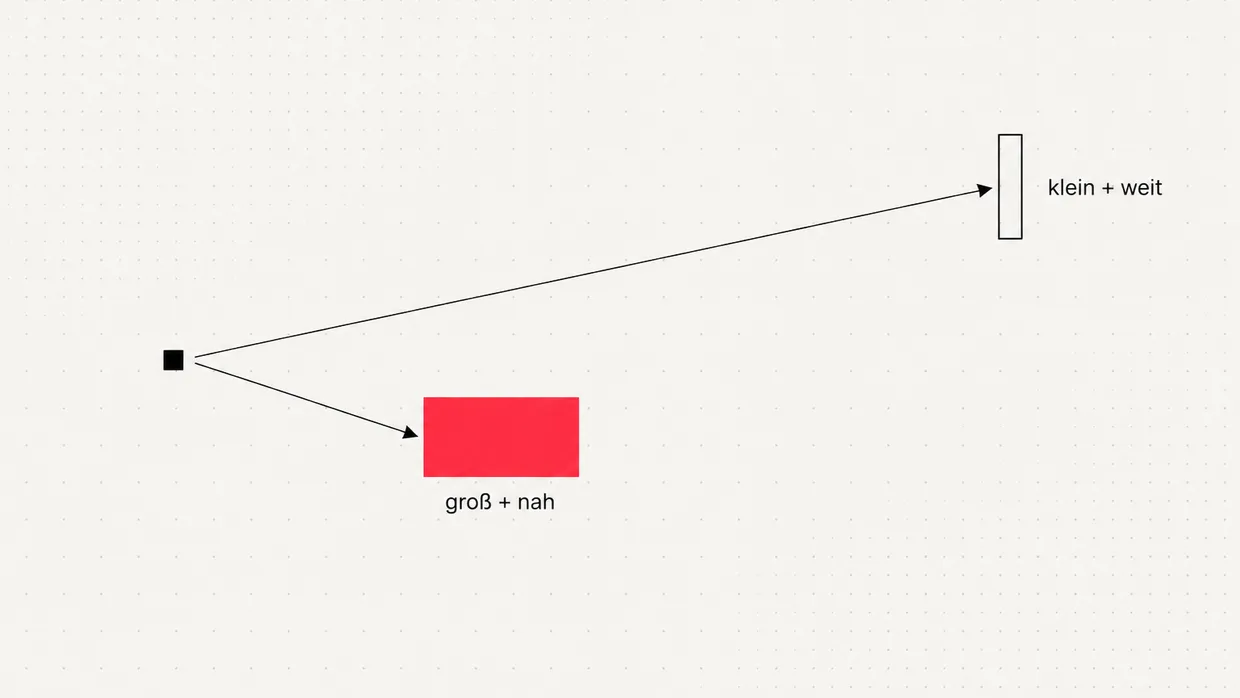
The bigger and closer a target, the faster you hit it. Fitts' Law explains why small, distant buttons cost clicks.

The problem: the button is there, but nobody hits it
The principle: size and distance determine time
- T is the time to hit the target
- D is the distance to the target
- W is the width of the target along the direction of movement
- a and b are constants depending on device and person
What this means for websites
| Situation | Typical mistake | Better |
|---|---|---|
| Primary call to action | Small text link in body copy | Clearly separated button, whole area clickable |
| Submitting a form | Button far from the last field | Button directly below the last field |
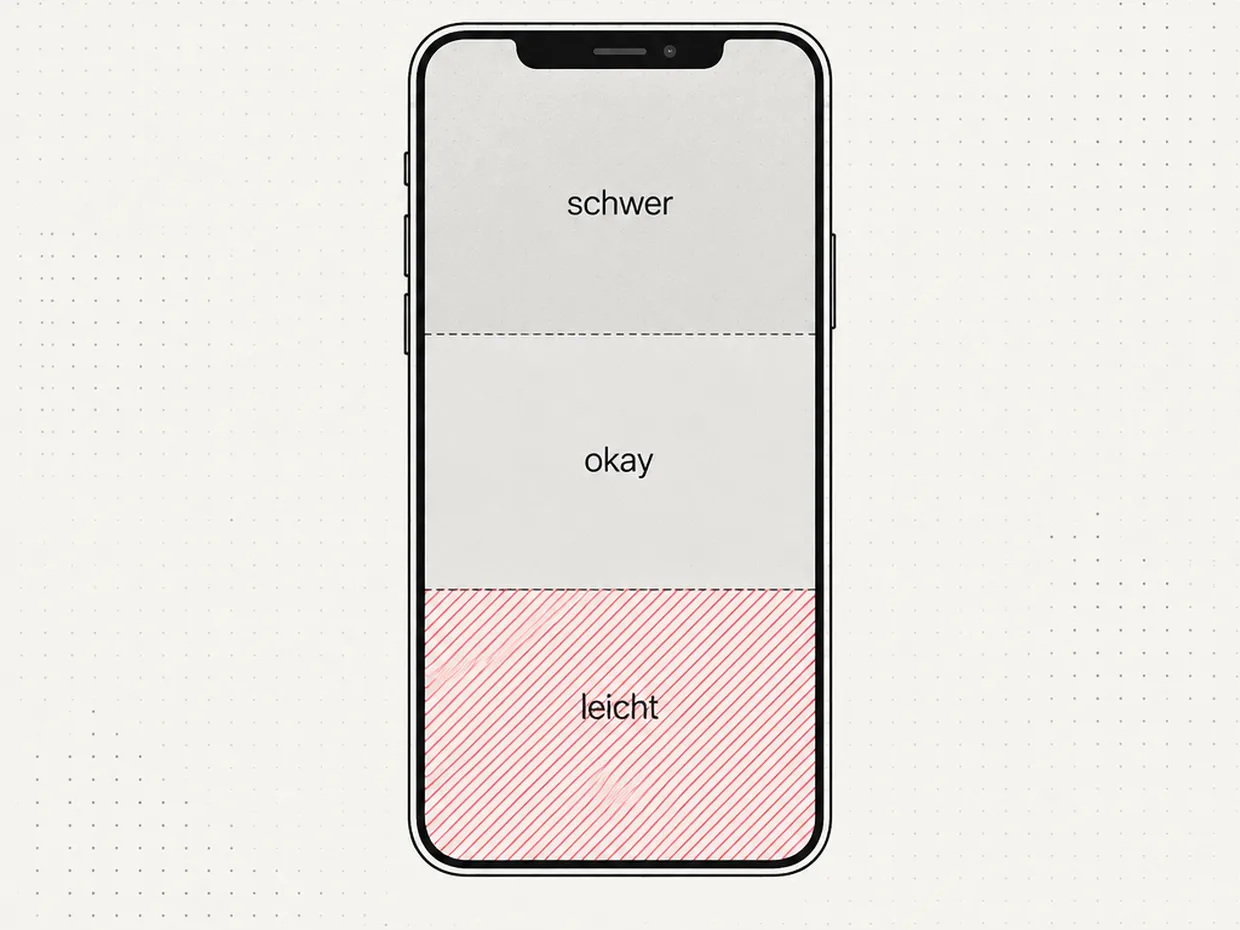
| Mobile navigation | Key action top right | Action in the lower third of the screen |
| Small icons | Only the icon reacts | Invisible, larger hit area around it |
| Delete, cancel | Same size, right next to submit | Smaller, spaced apart, visually toned down |
- Make the important things big. The primary button is the largest interactive area in view. The entire area reacts, not just the word inside.
- Close to attention. A button belongs where the eye lands after reading anyway: directly below the text or form it refers to.
- Make dangerous things deliberately harder. Fitts' Law works in reverse too. Destructive actions like delete may be smaller and further away so nobody hits them by accident.
Smartphone: the thumb is the cursor
Desktop: edges and corners are gold
Fitts' Law alongside other principles
When a page does not convert, the first thing we look at is the most important button. Surprisingly often it is too small, too far away or looks like everything else. Fixing that costs little and works immediately.
Quick check for your website
- Is the most important button the largest interactive area in the first view?
- Does the whole button area react, not just the text?
- Does the submit button sit directly below the last form field?
- Are tap targets on smartphones at least 44 pixels?
- Are destructive actions spaced apart from the important ones?
Frequently asked questions
What does Fitts' Law say?+
Who discovered Fitts' Law?+
What is the formula of Fitts' Law?+
What does Fitts' Law mean for website buttons?+
Does Fitts' Law apply on smartphones?+
How large should a tap target be?+
Why are screen edges special in Fitts' Law?+
How are Fitts' Law and Hick's Law related?+
Sources
- The information capacity of the human motor system in controlling the amplitude of movement, Journal of Experimental Psychology (1954)
- Fitts's Law and Its Applications in UX, Nielsen Norman Group (2022)
- Target Size (Minimum), WCAG 2.2 Success Criterion 2.5.8, W3C (2023)

Josef leads the strategic and creative development of brands at Maluure. For over a decade, he has guided medium-sized businesses from brand positioning to digital delivery.
Managing Director of Maluure GmbH, Cologne. Specialising in corporate design, brand strategy and digital brand experiences.
Related articles
Hick's Law: Why Every Extra Option Slows Down Your Website
The more options you give visitors, the longer they take to decide, and the more often they decide not to decide at all. Hick's Law explains the connection, and we show what to do about it.
Core Web Vitals: What Google Measures on Your Website and Why It Costs Revenue
Core Web Vitals are Google's yardstick for loading speed, responsiveness, and stability of a website. What LCP, INP, and CLS mean, which thresholds apply, and how to improve the scores concretely.
The Paradox of Choice: Why More Options on Your Website Mean Less Revenue
The paradox of choice explains why visitors faced with too many options decide nothing at all. With the jam experiment, the limits of the effect, and concrete rules for navigation, pricing pages, and forms.